 Tech Tribers
How to Choose the Right AI Model for the Job
Small, balanced or most capable? Match models to tasks by quality, latency and cost, build a tiny eval set, and route requests instead of picking one model for everything.
3 min read
"Which model is best?" has no single answer — the best model for a nightly bulk-classification job is not the best one for a tricky refactor. Choosing well is an engineering trade-off between quality, latency and cost, and it is one of the cheapest performance wins available.
Think in tiers, not brand names
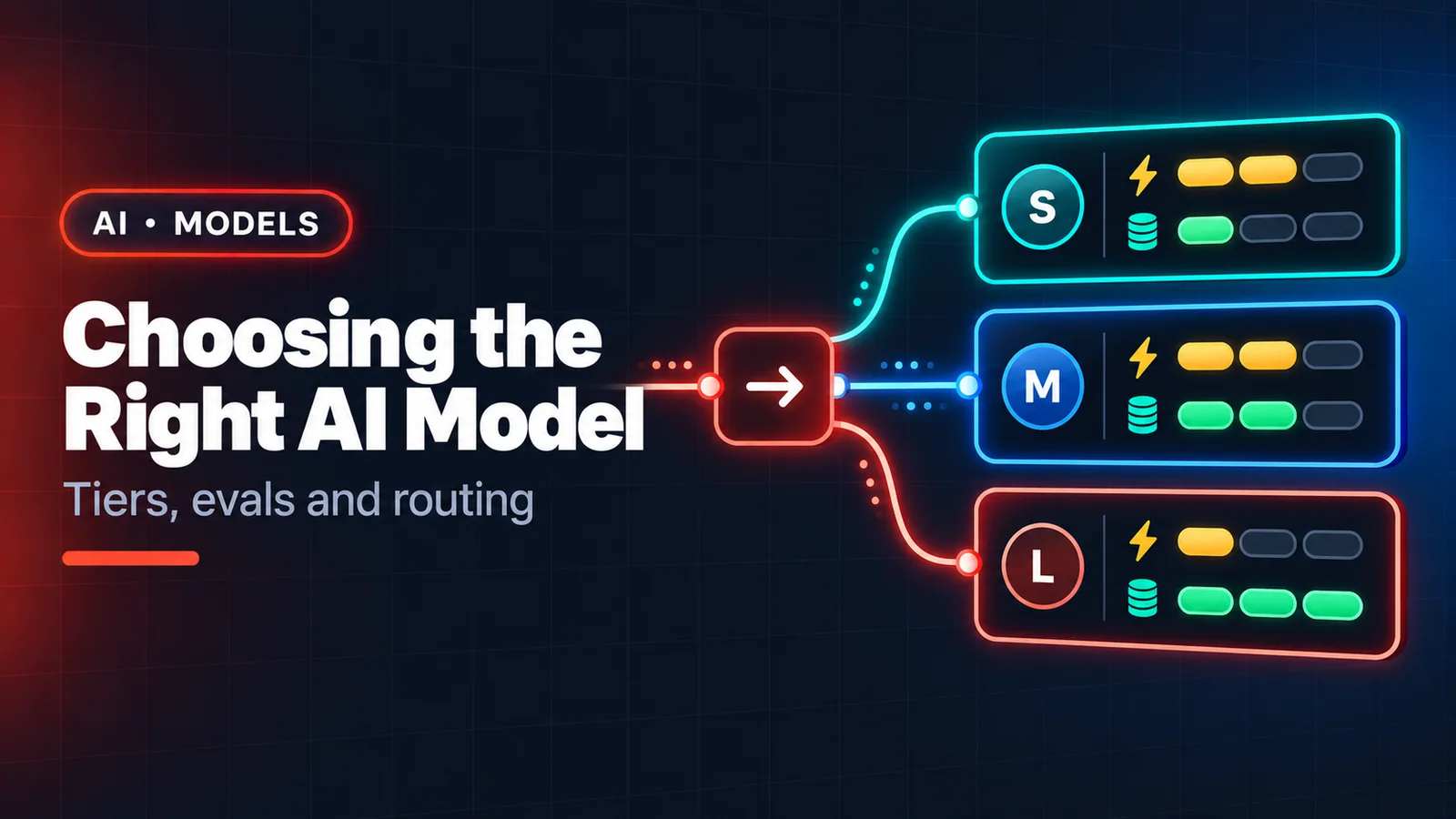
Most providers offer families in roughly three sizes. Anthropic's Claude line, for example, has a fast Haiku tier, a balanced Sonnet tier and a most-capable Opus tier, and other vendors follow a similar shape.
- Small and fast — classification, extraction, routing, moderation, autocomplete, short summaries. Lowest cost, lowest latency, great at high volume.
- Balanced — the default for most product features and most day-to-day coding: strong reasoning and code quality at a reasonable price and speed.
- Most capable — hard multi-step reasoning, large refactors, ambiguous research, long-running agents where one mistake is expensive. Highest cost and usually slower.
Model line-ups change every few months, so check your provider's current models page rather than relying on a blog post (including this one) for exact names.
The questions to ask
- How hard is the task, really? Pulling a date out of an email is not hard. Designing a migration plan is.
- Who is waiting? A user staring at a spinner needs low latency; a batch job does not.
- What is a mistake worth? A wrong tag is cheap; a wrong database migration is not. Spend more where errors cost more.
- How much context? Check the context window and how the model performs with long inputs if you send whole documents or codebases.
- Which features do you need? Tool use, vision, structured output, extended thinking, batch processing, prompt caching — not every model or tier offers all of them.
- Where must data live? Regional hosting and compliance requirements can narrow the options before quality even comes up.
Evaluate on your own tasks
Public benchmarks tell you about the benchmark. Build a small eval set instead:
- Collect 30–100 real examples from your product, including the awkward ones.
- Write down what a good answer looks like (exact match, a JSON schema, or a rubric).
- Run the same prompts through two or three candidate models and score them.
- Compare quality per rupee and per second, not quality alone.
Keep the eval set: re-run it whenever you change prompts or upgrade models, so regressions show up before your users find them.
Route instead of choosing once
You don't have to pick a single model. A common production pattern:
- A small model classifies the request (easy / hard, which feature, which language).
- Easy requests are answered by the small or balanced model.
- Hard ones go to the most capable model — or the small model escalates when it is unsure.
Routing like this often matches the big model's quality at a fraction of the cost, because most traffic is easy.
For coding specifically
- Use the balanced tier as your everyday pair-programmer.
- Switch to the most capable tier for big refactors, unfamiliar codebases, subtle concurrency or performance bugs, and long autonomous agent runs.
- Use a small model for repetitive mechanical work across many files (renames, adding docstrings, generating fixtures) — with tests to catch mistakes.
The short version
Start with the balanced tier, measure on your own examples, move easy high-volume work down a tier, and send only the genuinely hard problems up. Combine that with token optimisation and most teams cut their AI bill substantially while improving quality where it matters.