 Tech Tribers
Spring AI vs LangChain4j: The Same Java AI App Built Twice
One assistant with memory, a tool and pgvector retrieval, built in Spring AI 2.0 and LangChain4j 1.23. See what stays the same, what differs and how to choose.
New12 min read
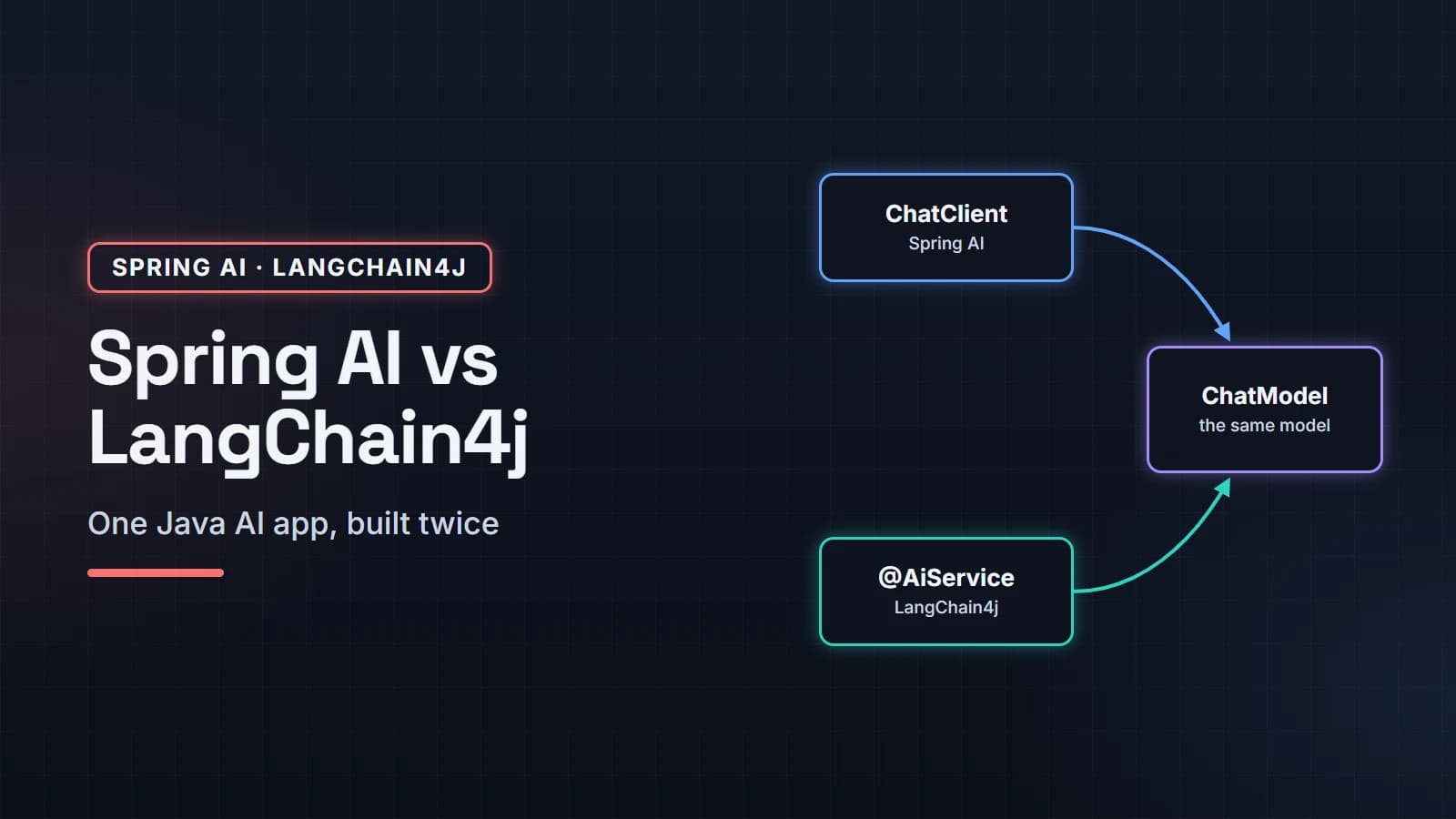
Spring AI vs LangChain4j is the first question many Java teams ask when they add a language model to a Spring Boot service. Both are open-source Java libraries for building applications on top of large language models (LLMs), and both give you a chat model, conversation memory, tools, embeddings and a vector store. The real difference is where you sit while you drive them.
This guide is for Java and Spring developers who know one of the two and now have to read, review or choose the other. Instead of comparing feature lists, we build one small assistant twice: it remembers the conversation, calls a Java method as a tool, and answers policy questions from documents in PostgreSQL with pgvector. The code comes from projects that compiled and passed their tests on Spring AI 2.0.2 and LangChain4j 1.23.0 (Spring Boot 4 starter 1.23.0-beta33).
By the end you will be able to map each piece of a LangChain4j assistant to the Spring AI code you know, and back, and you will know the two gotchas that bite first.
In this guide
- The app we build twice
- One chat call: a class with ChatClient vs an annotated interface
- Memory: a conversation ID in both
- Tools: almost the same annotations, very different wiring
- Retrieval from pgvector
- Side by side: what stays the same and what differs
- Spring AI or LangChain4j: how to choose
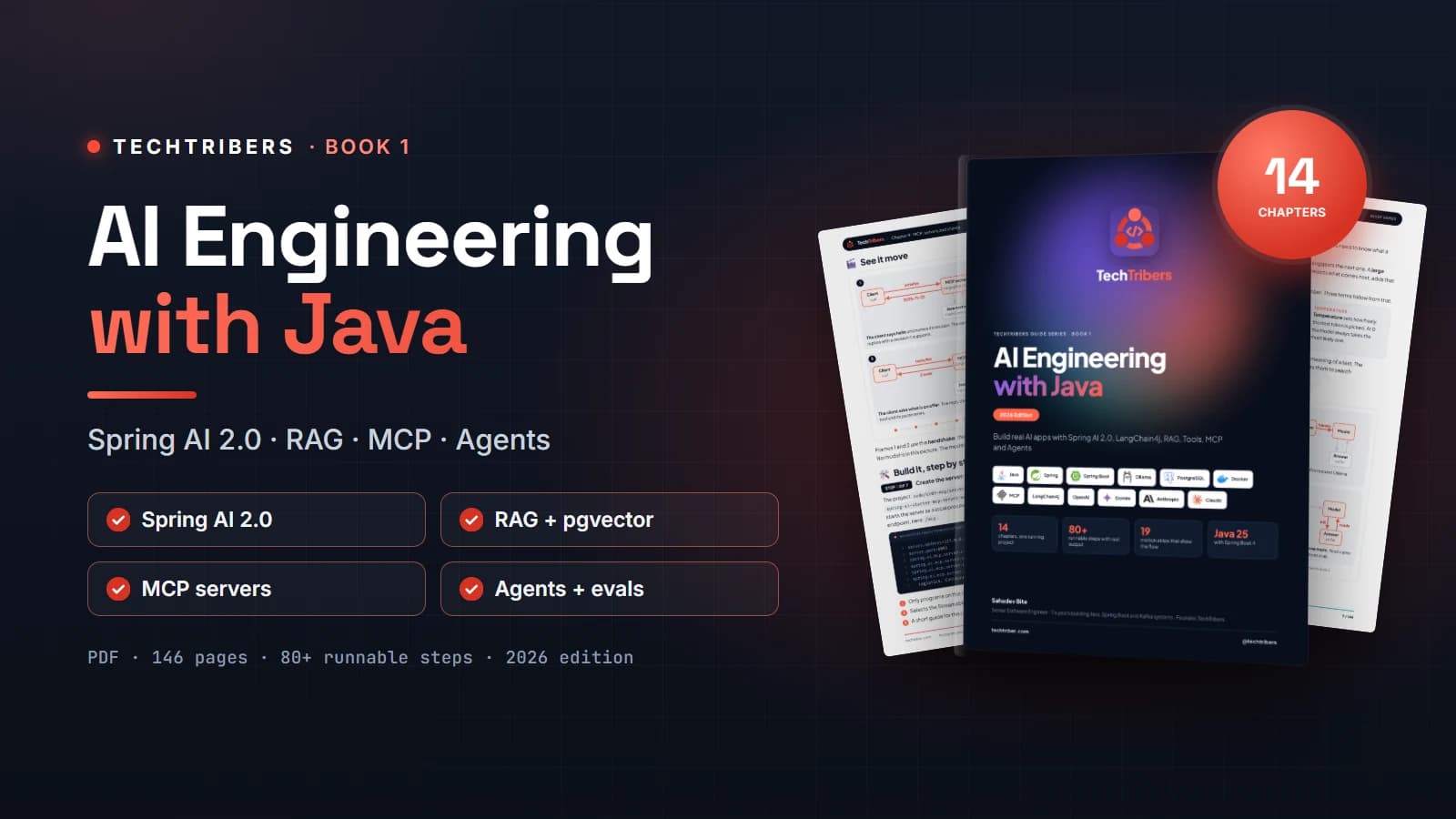
From the book: this guide is based on Chapter 11 of AI Engineering with Java, where you build a complete Spring AI app step by step, with real output for every run. Read the free 5-page sample on the book page.
The app we build twice
The assistant is CargoPilot, the support bot of a fictional shipping company, BlueHarbor Logistics. Its system prompt (the standing instruction sent with every question) says: use the tools for live data, never guess a status, answer in two short sentences. On top of a plain chat call it needs:
- Memory, so "What is its ETA?" still knows which container we were talking about.
- A tool,
trackContainer, a Java method that returns the live status of a container from BlueHarbor's tracking system. - Retrieval from pgvector, so policy questions such as demurrage charges are answered from the company's own text files. Demurrage is the daily fee for a container that stays at the port too long.
Both versions use the same Spring Boot, the same local Ollama models (llama3.2:3b for chat, nomic-embed-text for embeddings) and the same pgvector image. The LangChain4j project has no Spring AI on its classpath.
One chat call: a class with ChatClient vs an annotated interface
This is the biggest difference; once you see it, the rest reads easily.
Spring AI: your class holds a ChatClient
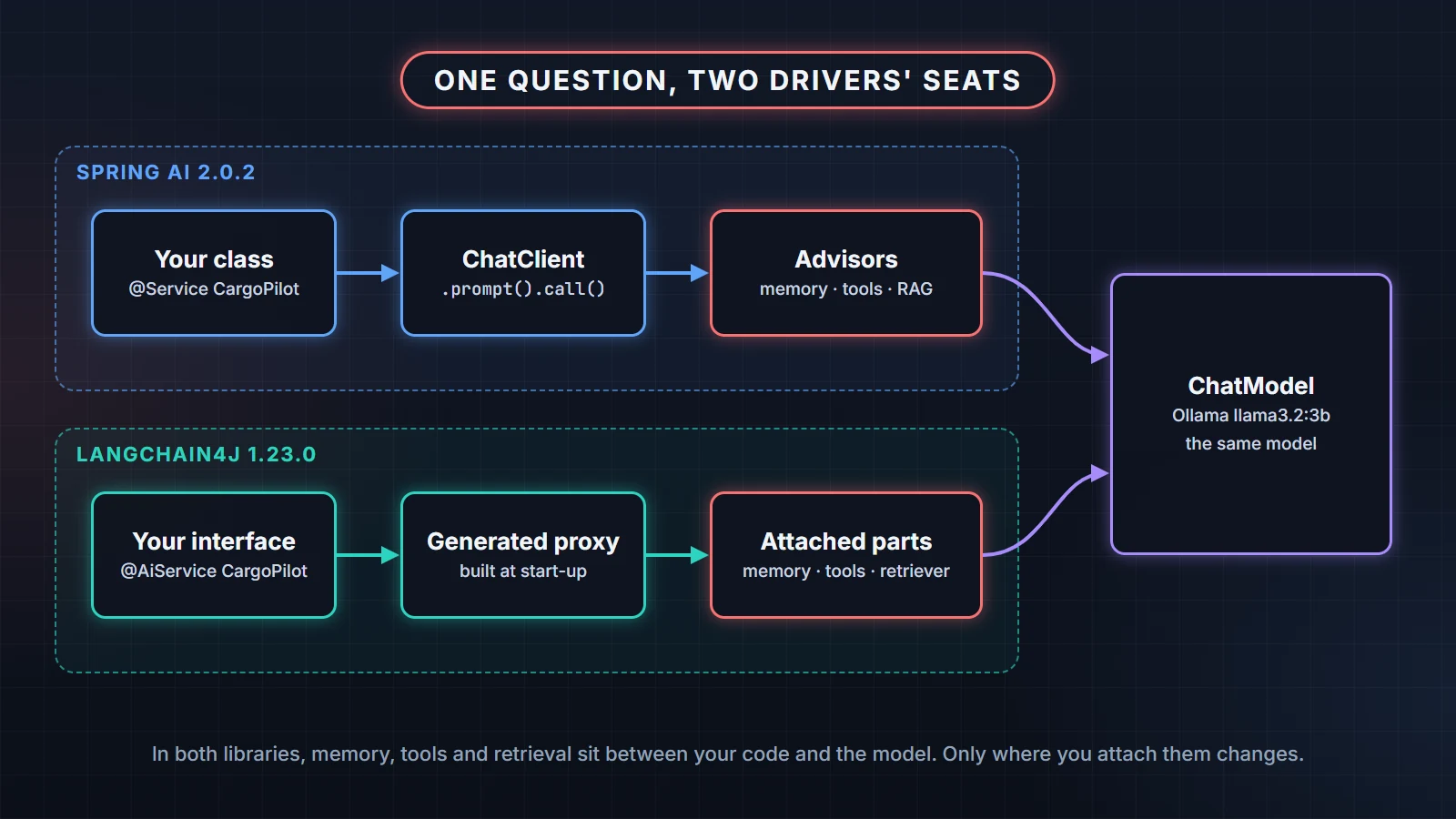
In Spring AI you write a normal Spring bean. It builds a ChatClient once, with defaults such as the system prompt and tools, and each question is a method chain ending in .call().content().
@Service
public class CargoPilot {

    // ... SYSTEM_PROMPT constant: the same text as @SystemMessage below

    private final ChatClient chatClient;

    public CargoPilot(ChatClient.Builder builder, ShipmentTools tools) {
        this.chatClient = builder
                .defaultSystem(SYSTEM_PROMPT)
                .defaultTools(tools)
                .build();
    }

    public String ask(String question) {
        return chatClient.prompt()
                .user(question)
                .call()
                .content();
    }
}
LangChain4j: you declare an interface, a proxy does the work
In LangChain4j you describe the assistant as a Java interface with annotations. This is called an AI Service. Nobody writes a class for it: at start-up LangChain4j creates a proxy, an object that implements your interface and turns each method call into a model call. The AI Services docs compare the idea to Spring Data JPA repositories.
@AiService(wiringMode = EXPLICIT, chatModel = "ollamaChatModel",
        chatMemoryProvider = "chatMemoryProvider",
        tools = "shipmentTools")
public interface CargoPilot {

    @SystemMessage("""
            You are CargoPilot, the assistant of BlueHarbor Logistics.
            Use the tools to look up live data. Never guess a status.
            Answer in two short sentences.
            """)
    String chat(@MemoryId String conversationId,
            @UserMessage String question);
}
The system prompt moved from .defaultSystem(..) to @SystemMessage, and the call moved from chatClient.prompt().user(q).call().content() to cargoPilot.chat(id, q). @AiService comes from the Spring Boot starter and makes the proxy a Spring bean; its three attributes fix a real bug, shown in the tools section.
One setup detail differs too. Spring AI's Ollama starter has a default Ollama address. The LangChain4j Ollama starter creates a chat model bean only when you set langchain4j.ollama.chat-model.base-url. Without it, the book's project still started and only failed when the assistant was created, with IllegalConfigurationException: Please specify either chatModel or streamingChatModel.
Memory: a conversation ID in both
A model is stateless: it sees only the prompt you send. "Memory" means your application stores earlier messages and sends them again with each new question. Both libraries use the same idea, a message window that keeps only the latest messages, and both need to know which conversation a call belongs to.
// Spring AI: an advisor loads and saves messages around the call
ChatResponse response = chatClient.prompt()
        .user(question)
        .advisors(memoryAdvisor)   // MessageChatMemoryAdvisor.builder(chatMemory).build()
        .advisors(a -> a
                .param(ChatMemory.CONVERSATION_ID, conversationId))
        .call()
        .chatResponse();

// LangChain4j: one memory per @MemoryId, each keeps the last 10 messages
@Bean
ChatMemoryProvider chatMemoryProvider() {
    return conversationId -> MessageWindowChatMemory.builder()
            .id(conversationId)
            .maxMessages(10)
            .build();
}
In Spring AI, an advisor is a step that runs around every model call. MessageChatMemoryAdvisor loads old messages before the call and saves new ones after it; the conversation ID travels as an advisor parameter. In Spring AI 2.0 that ID is required on every call: the default conversation ID was removed, so older tutorials no longer compile, and the chat memory docs say a call without it throws an IllegalArgumentException. One thing to watch: the docs for Spring AI 2.1.0 mark the ChatMemory API and MessageChatMemoryAdvisor as deprecated since 2.1.0, to be removed in 3.0.0, in favour of Session Memory. The code here is for 2.0.2.
In LangChain4j, the @MemoryId parameter names the conversation and a ChatMemoryProvider bean returns the memory for that ID. Even the class name, MessageWindowChatMemory, is the same in both libraries, in a different package.
In the book's LangChain4j run, the first question named container BHLU7654321 and the second asked only "What is its ETA?". The tool log showed the right number both times: memory at work.
Tools: almost the same annotations, very different wiring
A tool is one of your Java methods plus a description the model reads. The model never runs it; it only asks for it, and the library runs the method and sends the result back. Declaring a tool looks nearly identical in both.
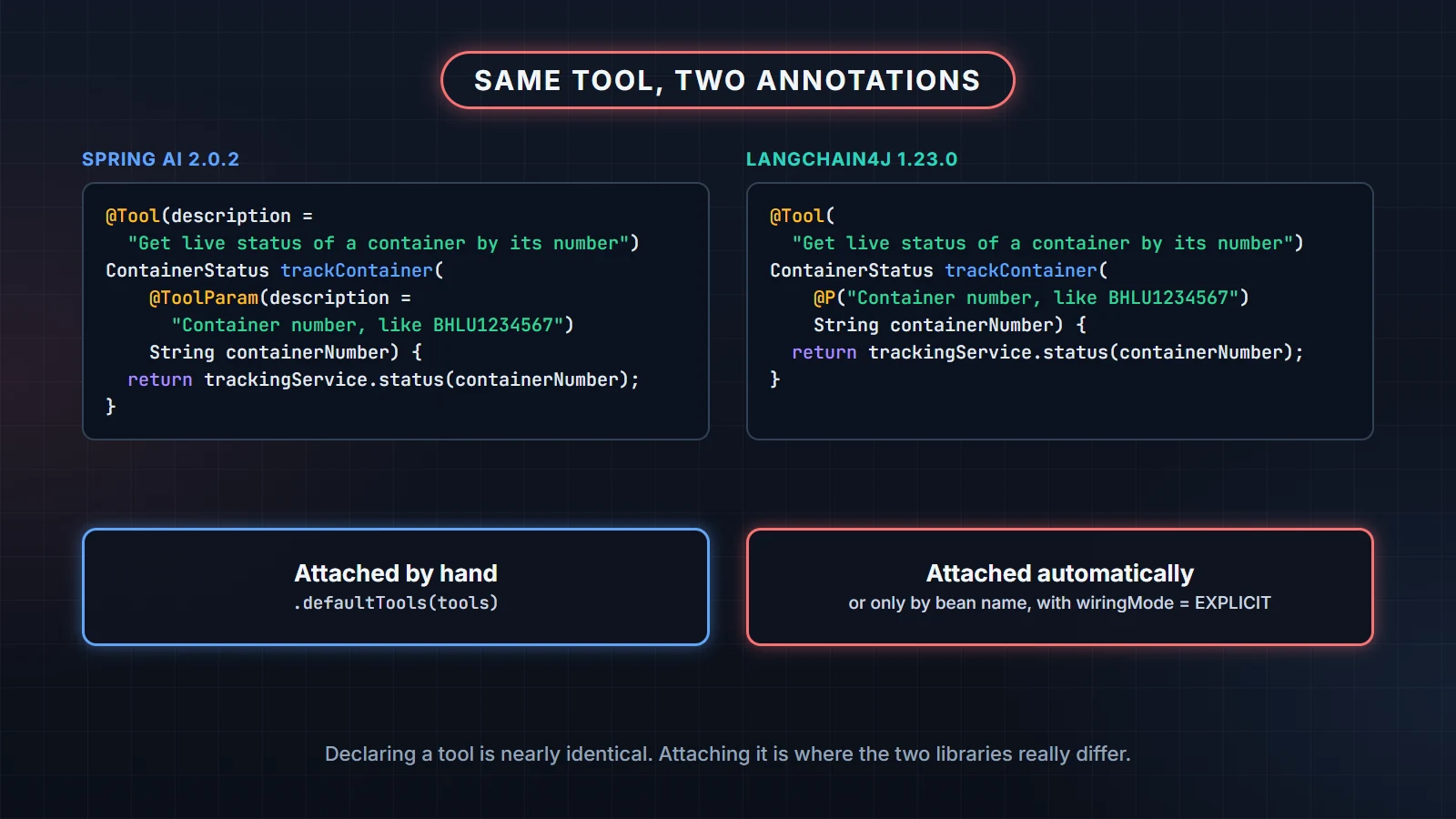
Spring AI writes @Tool(description = "..") and @ToolParam. LangChain4j puts the description in the annotation's value, @Tool(".."), and describes a parameter with @P. The method body is the same.
Attaching tools: by hand vs automatic
Here the two libraries really differ. In Spring AI you always attach tools by hand, with .defaultTools(bean) for every request or .tools(..) for one request. Since Spring AI 2.0.1 a tool bean is offered to the model only when you attach it.
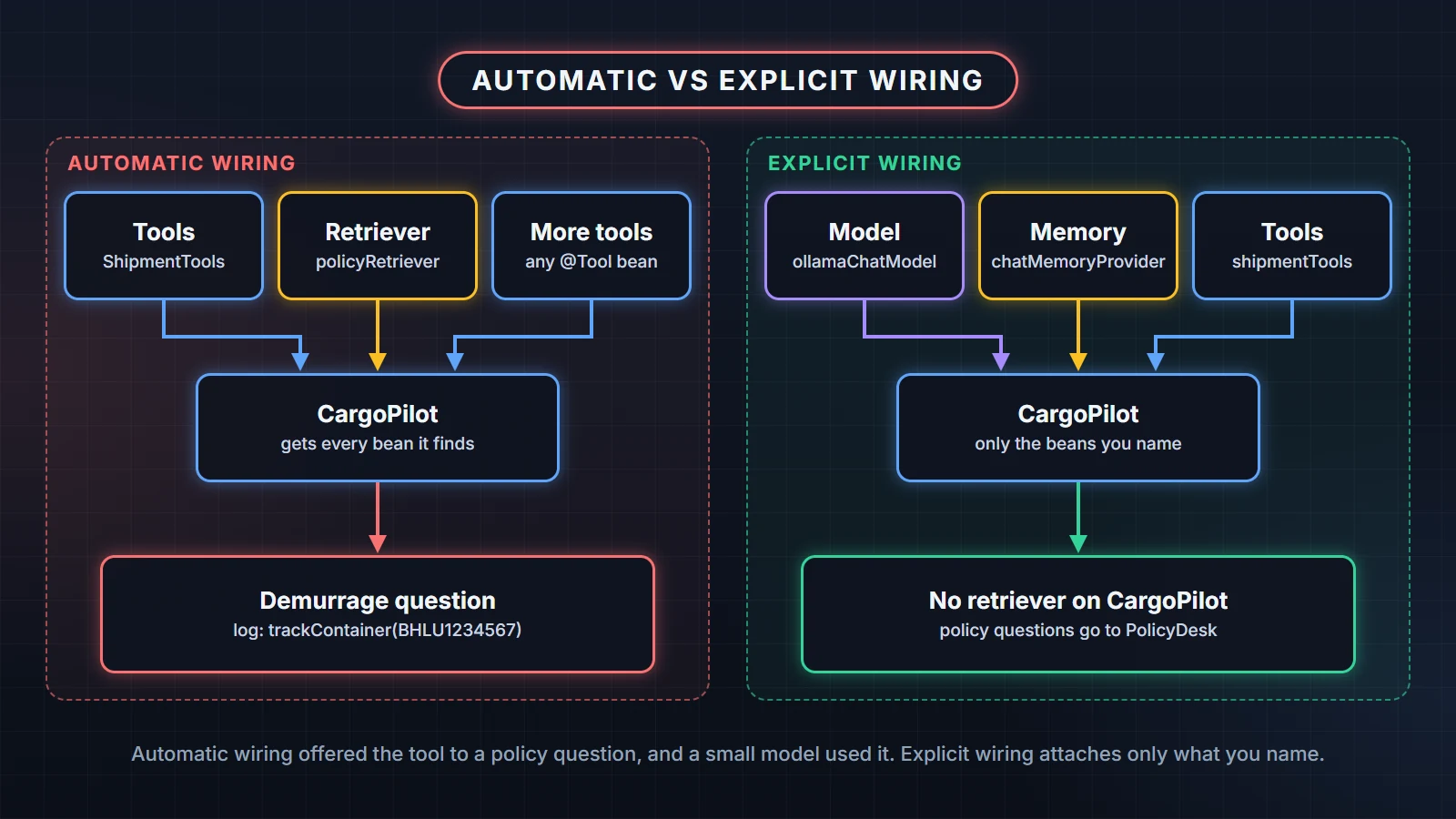
LangChain4j's Spring Boot starter has automatic wiring. With a bare @AiService, every AI Service gets every @Tool method it finds on any bean, and the content retriever too. The Spring Boot integration docs describe this default and the explicit mode.
In the book's first version, CargoPilot was asked "How much is demurrage per container per day?". The answer was correct, yet the log showed trackContainer(BHLU1234567). The question named no container; the small model copied the sample number from the @P description. A stricter prompt made it worse: the model then passed 123456, and once the literal text <CUSTOMER PROVIDED NUMBER>.
The fix is explicit wiring. wiringMode = EXPLICIT gives an AI Service only the beans you name: here a model, a memory provider and one tool bean. With no retriever named, CargoPilot has none, and policy questions go to a separate assistant (next section).
Limiting the tool loop
A confused model can ask for tools again and again, so both libraries cap the loop, but they count different things. Spring AI counts tool calls and, at the limit, ends the turn with a finish reason (a short code that says why the model stopped). LangChain4j counts round trips: one model response that asks for tools plus the tool runs that follow. You set the cap with .maxToolCallingRoundTrips(3) on AiServices.builder (@AiService has no attribute for it), and going over it throws a RuntimeException.
Retrieval from pgvector
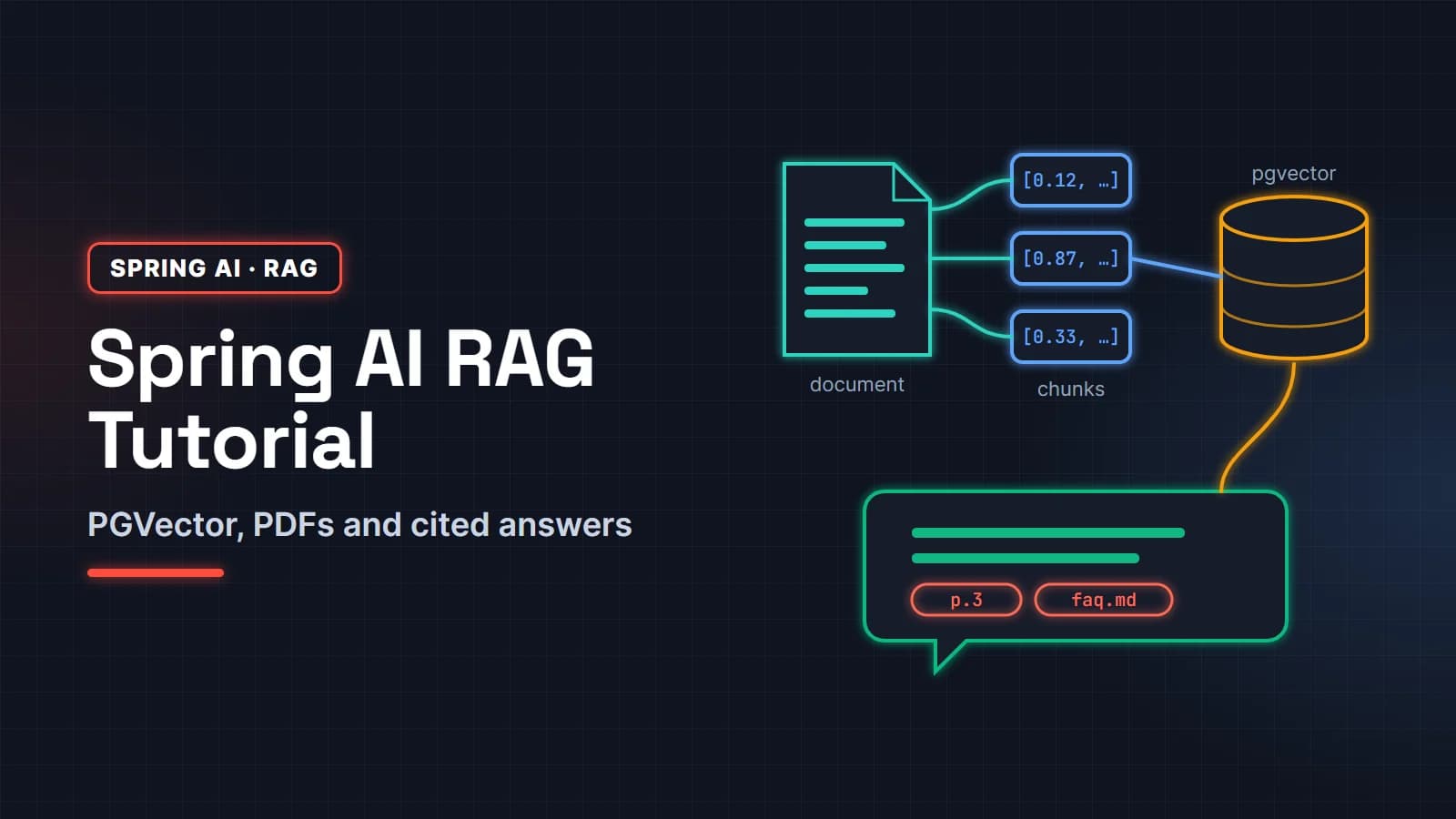
Retrieval-augmented generation (RAG) means you search your own documents for text related to the question and add it to the prompt. The search runs over embeddings, lists of numbers that capture meaning, kept in a vector store. LangChain4j calls a vector store an embedding store, and a document chunk a text segment.
The store
Spring AI has a pgvector starter that gives you a ready VectorStore bean, configured with properties such as spring.ai.vectorstore.pgvector.initialize-schema=true and spring.ai.vectorstore.pgvector.dimensions=768 (768 is the vector size of nomic-embed-text).
LangChain4j has no pgvector starter in the book's setup. You add langchain4j-pgvector and build the store yourself from the DataSource, with PgVectorEmbeddingStore.datasourceBuilder(), a table name and .dimension(embeddingModel.dimension()). Do not skip this bean: if the starter sees an embedding model and no store, it silently adds an empty in-memory store plus a retriever on top of it, so your RAG searches nothing and logs nothing about it.
Asking a question
Spring AI does retrieval and augmentation in one advisor; LangChain4j attaches a content retriever to the AI Service. The LangChain4j side below is condensed from two @Bean methods.
// Spring AI: QuestionAnswerAdvisor embeds the question and searches
var advisor = QuestionAnswerAdvisor.builder(vectorStore)
        .searchRequest(SearchRequest.builder().topK(4).build())
        .build();
ChatResponse response = chatClient.prompt()
        .user(question)
        .advisors(advisor)
        .call()
        .chatResponse();

// LangChain4j: a retriever, then an AI Service built by hand
ContentRetriever policyRetriever = EmbeddingStoreContentRetriever.builder()
        .embeddingStore(embeddingStore)
        .embeddingModel(embeddingModel)
        .maxResults(2)
        .minScore(0.6)
        .build();
PolicyDesk policyDesk = AiServices.builder(PolicyDesk.class)
        .chatModel(chatModel)
        .systemMessage("""
                You are the policy desk of BlueHarbor Logistics.
                Answer only from the information given. ...""")
        .contentRetriever(policyRetriever)
        .build();
topK and maxResults are the same idea: how many closest chunks to fetch. minScore is LangChain4j's name for a similarity threshold. AiServices.builder is the programmatic twin of @AiService: you pass every part yourself. The Spring AI advisor lives in the spring-ai-vector-store-advisor module, as the RAG docs show; in Spring AI 1.x it had another name, so an old pom.xml will not find it.
Sources and token counts
Spring AI leaves the retrieved documents in the response metadata. In LangChain4j the method returns Result<String>, whose sources() and tokenUsage() give you the chunks and the token count. In the book's measured run, the policy desk answered the demurrage question with 199 input and 34 output tokens.
Two lessons from that run apply to both libraries. First, a source list shows what was retrieved, not what the model used: a question about Brazil, which the policies do not cover, got "no information" and still listed two sources. Second, one job per assistant is cheaper: the policy answers took 199 to 205 input tokens, against 644 in an earlier build that put the tool and the retriever on one assistant.
Side by side: what stays the same and what differs
Side by side, the ideas line up one to one. Memory, tools and retrieval sit between your code and the model in both; only the place you attach them changes.
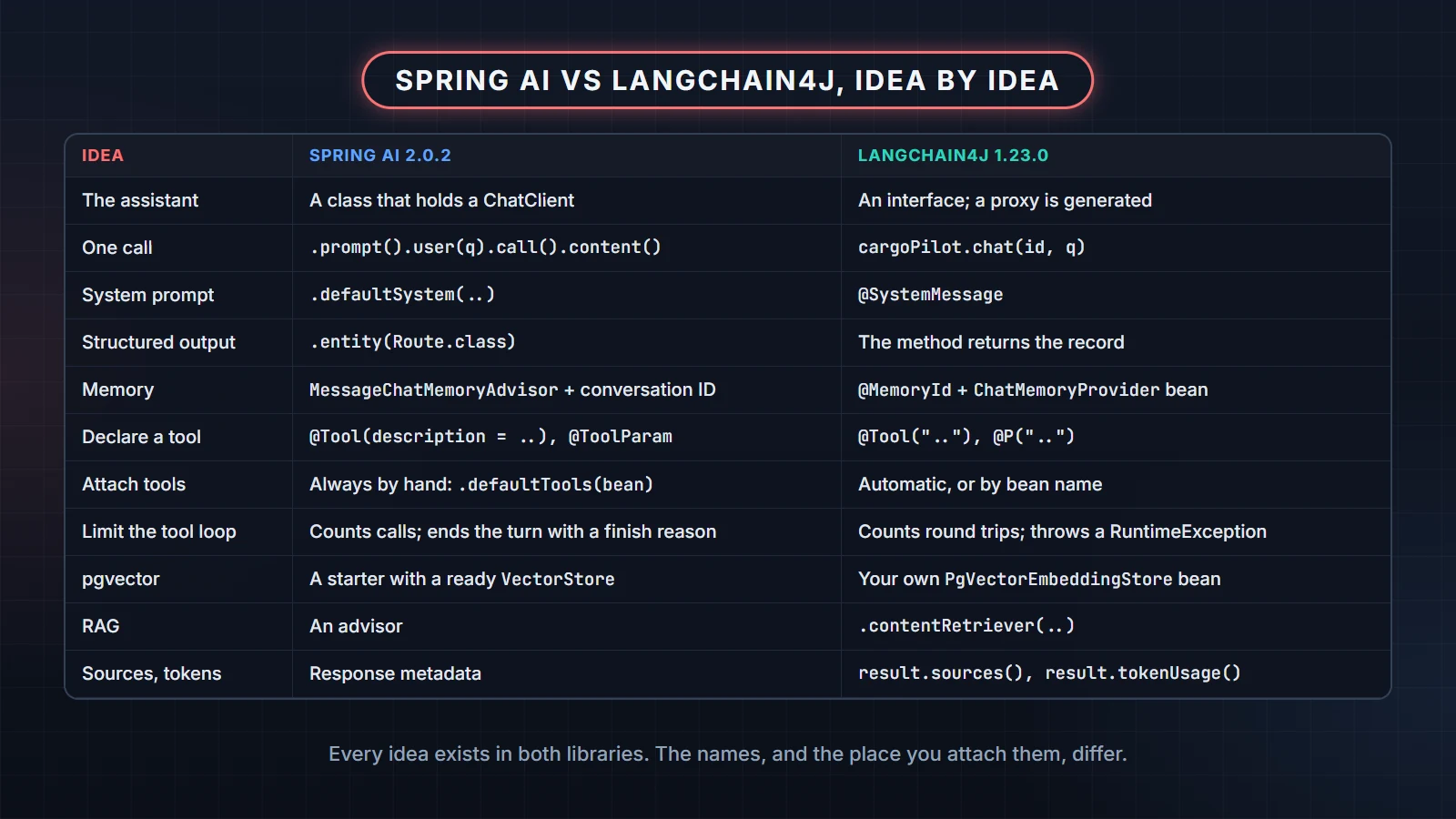
What stays the same:
- A chat model and a system prompt.
- Memory as a message window keyed by a conversation ID.
- Tools as annotated Java methods with described parameters.
- Retrieval from pgvector with a top-k and a similarity threshold.
- Structured output:
.entity(Route.class)in Spring AI; in LangChain4j the method returns the record.
What differs:
- The assistant: a class that holds a
ChatClientin Spring AI; an interface with a generated proxy in LangChain4j. - Attaching tools: always by hand in Spring AI; automatic or by bean name in LangChain4j.
- Tool limits: Spring AI counts calls and ends the turn with a finish reason; LangChain4j counts round trips and throws.
- pgvector: a starter with a ready
VectorStorein Spring AI; your ownPgVectorEmbeddingStorebean in LangChain4j. - Sources and tokens: response metadata in Spring AI; a
Resultin LangChain4j.
Spring AI or LangChain4j: how to choose
This post names no winner. The book's runs used different prompts and load for the two libraries, so answer quality and speed were never compared. What the build does show is where each one fits.
Spring AI may suit you when
Your team already works in Spring Boot, prefers starters on release versions, and wants nothing to reach the model unless code attaches it. Every advisor and tool is visible in the ChatClient chain.
LangChain4j may suit you when
You like an assistant that reads as one annotated interface, or you need the same code outside Spring, through AiServices.builder. Note that its Spring Boot 4 starters and pgvector module were still beta versions (1.23.0-beta33) in the book's build, while the core library was the 1.23.0 release, so expect the starters to move faster.
In both cases
- Limit the tool loop.
- Give each assistant one job and only the tools it needs.
- Declare your vector store yourself and check that it holds your documents.
- Test with a fake model.
Knowing one library, you can read the other the way you drive a friend's car: the wheel and the brake are where you expect, and only a few switches have moved.
Go deeper
Chapter 11 of AI Engineering with Java, "The same app in LangChain4j", builds this second CargoPilot in seven steps, from the two Boot 4 starters to loading the policy files with an ingestor, switching to explicit wiring and building the PolicyDesk by hand. It ends with the full side-by-side table and practice tasks: a second tool class, an AI Service that pulls a record out of a customer email, and a retriever limited to one file. Earlier chapters build the Spring AI side, from memory and tools to RAG over pgvector.
See the book at AI Engineering with Java. The product page has a free 5-page sample you can read first.
Related reading
- Spring AI RAG tutorial with pgvector
- Spring AI tool calling: a hands-on tutorial
- Spring AI interview questions
FAQ
Is LangChain4j better than Spring AI?
Neither is better in general; both cover chat, memory, tools and RAG over pgvector. Spring AI fits teams that want everything attached explicitly through a ChatClient. LangChain4j fits teams that prefer one annotated interface per assistant or need the code outside Spring.
Can I use LangChain4j without Spring Boot?
Yes. AiServices.builder(YourInterface.class) builds an AI Service from parts you pass yourself, such as the chat model, the system message and a content retriever, with no Spring needed. @AiService is the Spring Boot starter's shortcut for the same thing.
Does LangChain4j support Spring Boot 4?
Yes, through starters with the -spring-boot4-starter suffix, such as langchain4j-spring-boot4-starter. In the book's build they were beta versions (1.23.0-beta33) while the core library was 1.23.0.
What is an AI Service in LangChain4j?
An AI Service is a Java interface that describes an assistant with annotations such as @SystemMessage, @UserMessage and @MemoryId. LangChain4j generates a proxy that implements it, so calling the method calls the model and returns its answer.
Why does my LangChain4j assistant call tools it should not?
With a bare @AiService, automatic wiring gives every AI Service every tool bean and the retriever, and a small model tends to call a tool when one is offered. Use wiringMode = EXPLICIT and name only the beans each assistant needs.