 Tech Tribers
Spring AI Tool Calling: A Hands-On Java Tutorial with @Tool
Let the model ask and your Java code run: define tools with @Tool, pass user identity safely, cap the tool loop, and fix the failures a small model really makes.
New12 min read
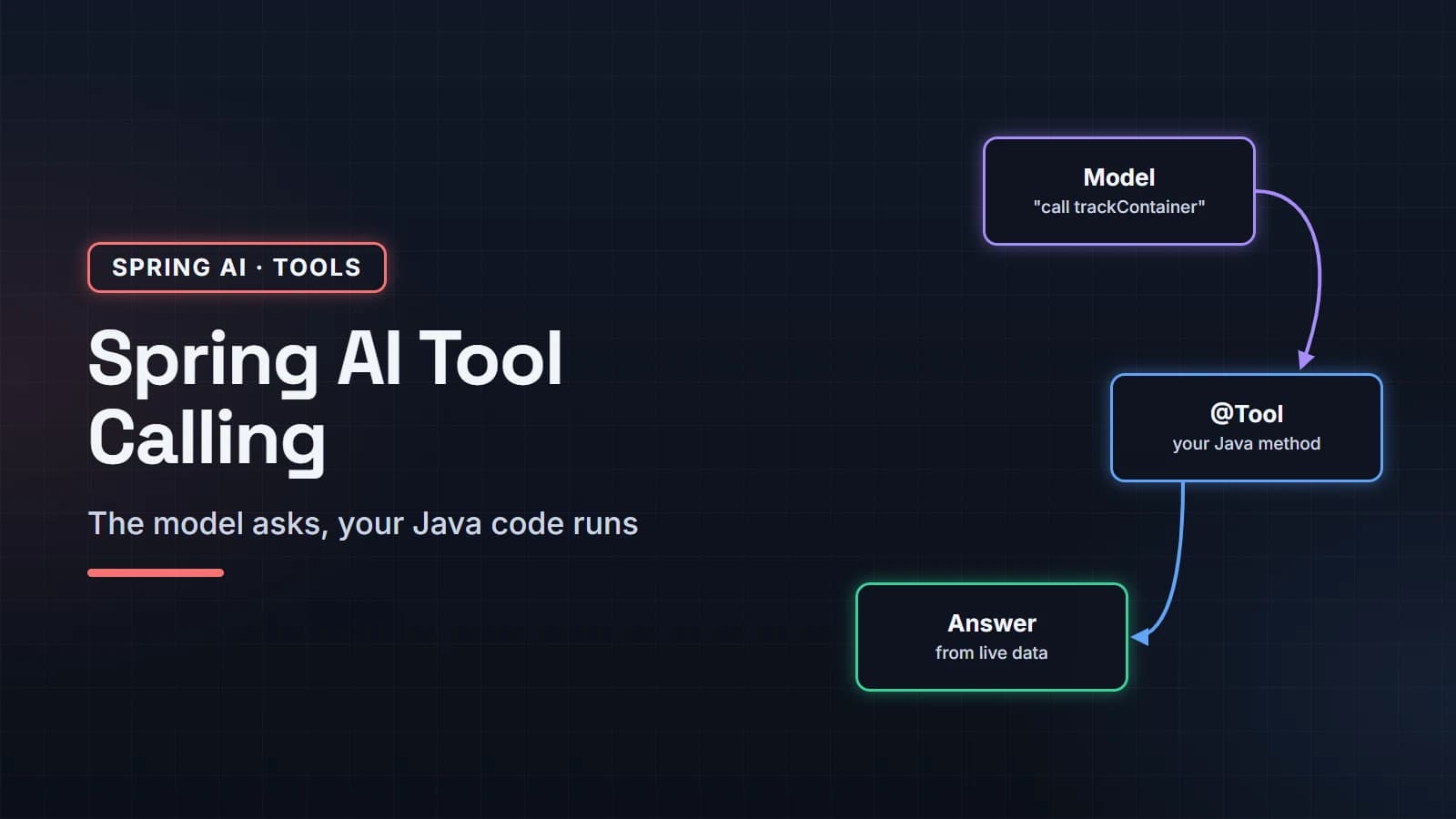
Spring AI tool calling lets a language model use your Java methods: the model asks for a method by name, and your application runs it and hands back the result. Many tutorials call the same idea function calling, and the LangChain4j docs title their page "Tools (Function Calling)". It is how an assistant answers questions about live data that no model was trained on, such as where a container is right now.
This tutorial is for Java and Spring Boot developers who have made a basic ChatClient call and want the model to do more than talk. You will define tools with @Tool, describe their parameters, hand them to ChatClient, pass the signed-in user's identity without showing it to the model, cap how many tool calls may run, and see what tool calling costs. We finish with the real failures a small local model made, and the fixes.
The code comes from a project that compiled and passed its tests on Spring AI 2.0.2 and Spring Boot 4.1.2, with the llama3.2:3b model running locally on Ollama. Spring AI 2.0 changed parts of the tool API, so older tutorials may look different.
In this guide
- What tool calling is: the model asks, your code runs
- Define a tool with @Tool and @ToolParam
- Hand the tools to ChatClient
- A tool with several inputs
- Pass the customer's identity through tool context
- Security: the model chooses the arguments
- Limit how many tool calls may run
- What one tool turn costs
- Real failures with a small local model, and their fixes
From the book: this guide is based on Chapter 6 of AI Engineering with Java, where you build a complete Spring AI app step by step, with real output for every run. Read the free 5-page sample on the book page.
What tool calling is: the model asks, your code runs
The running example is CargoPilot, the support assistant of a fictional shipping company, BlueHarbor Logistics. CargoPilot can explain demurrage (the daily fee for a container left at the port too long), but it has no way to know where container BHLU1234567 is today: that lives in the company's tracking system.
A tool closes that gap. It is a Java method with a short description attached. The key point: your code is never run by the model. The model only replies with a request, "call trackContainer with this container number". Spring AI runs the method, returns the result, and the model then writes the answer. The Spring AI tool calling docs stress the same point: the model never gets direct access to the APIs behind your tools.
So the model chooses whether a tool is needed, which one and with which arguments, while your code does everything real: database reads, API calls, permission checks.
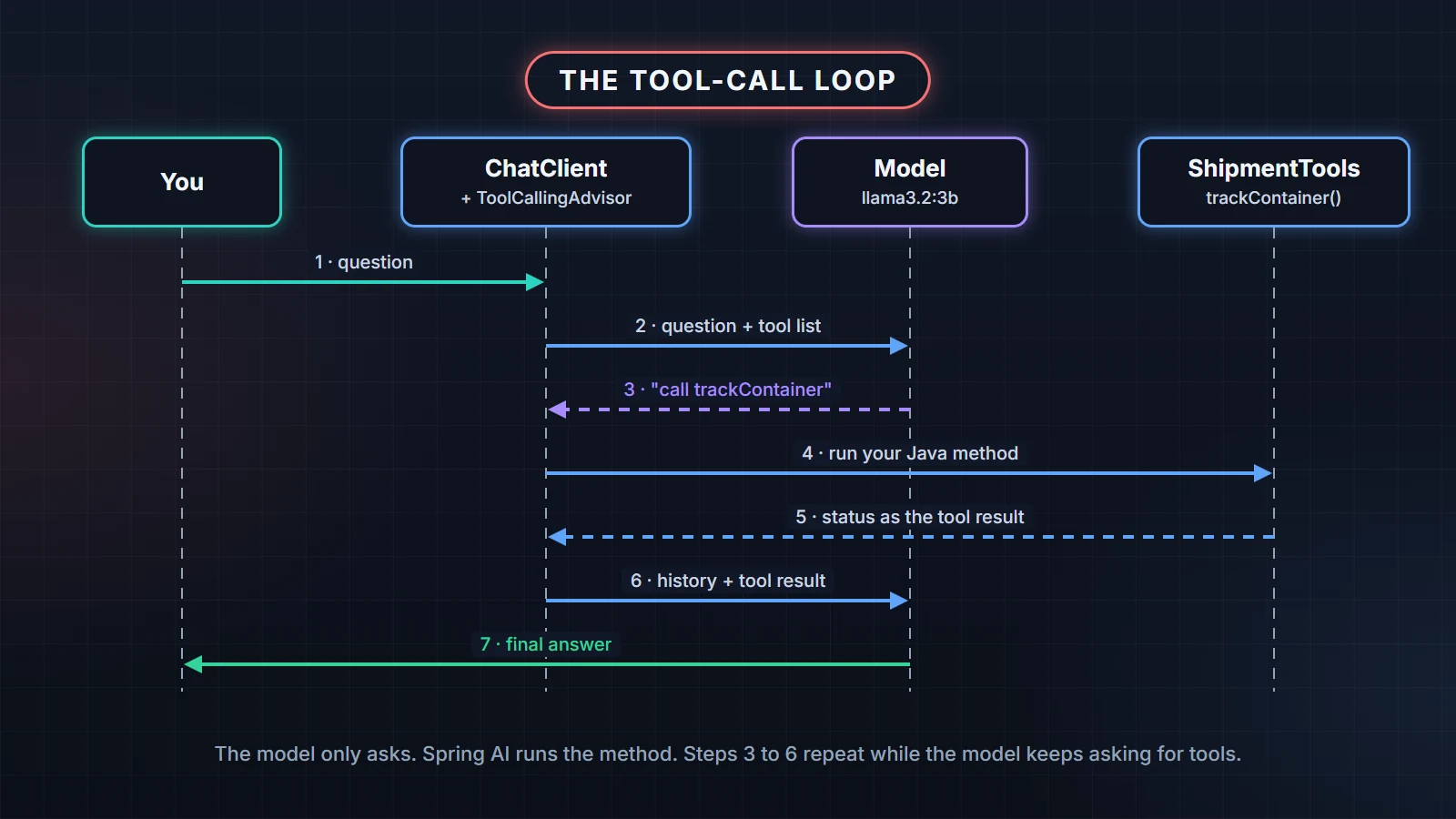
In Spring AI 2.0 a ToolCallingAdvisor drives this loop, and ChatClient registers it on every request for you. Older 1.x tutorials look different because the loop then lived inside each model class.
Define a tool with @Tool and @ToolParam
A tool is a normal method on a normal Spring bean. Annotate the method with @Tool and each parameter with @ToolParam.
@Component
public class ShipmentTools {
    // ... logger, and a TrackingService injected through the constructor

    @Tool(description = "Get live status of a container by its number")
    ContainerStatus trackContainer(
            @ToolParam(description = "Container number, like BHLU1234567")
            String containerNumber) {
        log.info("trackContainer({})", containerNumber);
        return trackingService.status(containerNumber);
    }
}
Write the description for a reader, not a compiler: the name, description and parameter list are all the model knows when it decides whether to call the method. Describe every parameter too: an example value, like BHLU1234567, helps a small model a lot. The docs add two defaults worth knowing: the tool name is the method name unless you set name, and every parameter is required unless you mark it @ToolParam(required = false).
Keep the log line: what the method really received is how you debug every tool problem below.
Hand the tools to ChatClient
A tool does nothing until you attach it. Since Spring AI 2.0.1, a tool bean is offered to the model only when you attach it to the client or to the request.
public CargoPilot(ChatClient.Builder builder, ShipmentTools tools) {
    this.chatClient = builder
            .defaultSystem(SYSTEM_PROMPT)
            .defaultTools(tools)
            .build();
}

public String ask(String question) {
    return chatClient.prompt()
            .user(question)
            .call()
            .content();
}
With defaultTools(tools), every request from this client carries the tool's name, description and parameters. ask does not change: the whole loop (model call, tool run, model call again) happens inside call().
In the book's run, the question "Where is container BHLU1234567 and when will it arrive?" produced one log line, trackContainer(BHLU1234567), and an answer built from the tool's result.
There are two ways to attach a tool: .defaultTools(..) on the builder applies to every request, and .tools(..) on prompt() to one request. To add a tool to every ChatClient the application builds, register a ChatClientCustomizer bean that calls builder.defaultTools(..).
A tool with several inputs
Now a customer asks what a shipment will cost. The price depends on three facts: the origin port, the destination port and the weight.
@Tool(description = """
        Quote the sea freight price in Indian rupees \
        for cargo shipped between two ports""")
Quote quotePrice(
        @ToolParam(description = "Origin port, like Shanghai")
        String originPort,
        @ToolParam(description = "Destination port, like Nhava Sheva")
        String destinationPort,
        @ToolParam(description = "Total cargo weight in kilograms")
        double weightKg) {
    log.info("quotePrice({}, {}, {})",
            originPort, destinationPort, weightKg);
    long rupees = rateCard.price(originPort, destinationPort, weightKg);
    return new Quote(originPort, destinationPort, weightKg, rupees);
}

// Adds the tool to every ChatClient the application builds
@Bean
ChatClientCustomizer pricing(PricingTools pricingTools) {
    return builder -> builder.defaultTools(pricingTools);
}
Three things to notice:
- Descriptions carry the meaning. Two parameters are both a
String. Only the descriptions tell the model which port goes where. - Types are converted for you. The model sends a JSON number, and Spring AI converts it to the
doubleyou declared. In the book's run the log showedquotePrice(Shanghai, Nhava Sheva, 1200.0). - Return data, not a sentence. The tool returns a
Quoterecord, which Spring AI turns into JSON for the model, and the model writes the sentence.
The answer in that run, 62,400 rupees, came from the rate card: 12,000 rupees for handling plus 42 rupees per kilogram. That is your code's arithmetic, not the model's. Models are weak at sums, so let a tool do them.
Pass the customer's identity through tool context
A signed-in customer asks "Which containers do I have?". The tool needs the customer ID, and that ID has to come from the login. If the model supplied it, a user could persuade the model to pass another customer's ID.
The answer is tool context: a map your code puts on one request, which Spring AI passes to the tool but never includes in what the model sees. Like a parcel, the label is public and the sealed envelope inside is for the receiver only.
@Tool(description = "List all containers of the customer in this chat")
List<ContainerStatus> myContainers(ToolContext context) {
    String customerId =
            (String) context.getContext().get(CUSTOMER_ID);
    log.info("myContainers() for customer {}", customerId);
    return trackingService.containersOf(customerId);
}

// CustomerDesk: tools and context for this one request
public String ask(String customerId, String question) {
    return chatClient.prompt()
            .user(question)
            .tools(accountTools)
            .toolContext(Map.of(CUSTOMER_ID, customerId))
            .call()
            .content();
}
Spring AI fills the ToolContext parameter itself, so the model sees a tool with no parameters at all. In the book's runs, the same question, word for word, was asked as two different customers. Each got only their own container, because only the context differed. In a web application you would read the ID from the session instead of a command-line argument.
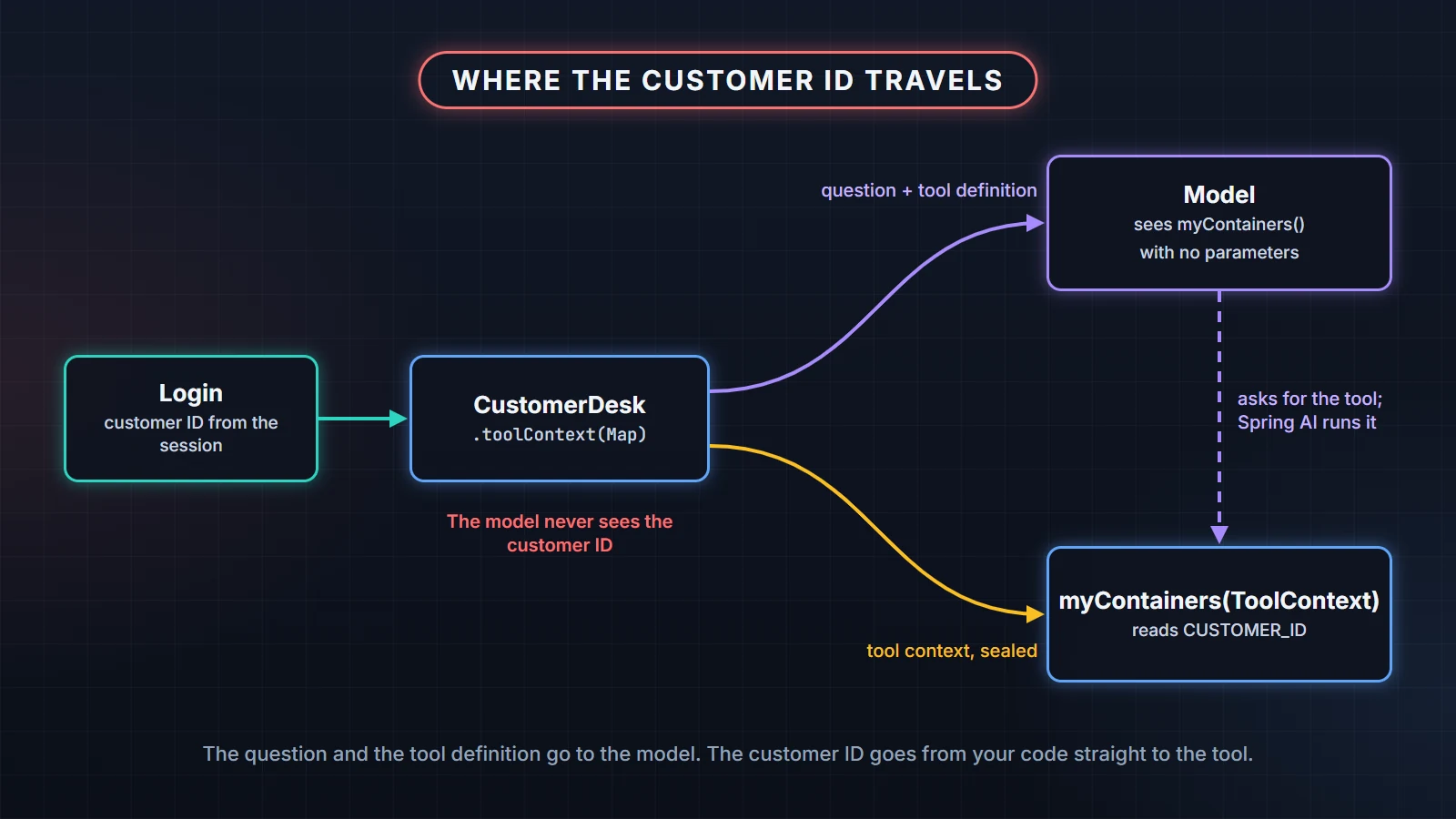
Older 1.x examples set tools and context together inside .tools(..); in 2.0, .toolContext(Map) is a separate call on the request.
Security: the model chooses the arguments
Users can steer the model, and the model fills in the arguments. So handle every tool argument the way you handle form input: validate it and check the user's right to see or change the data.
This matters most for tools that change data. A read-only tool at worst shows wrong data; a tool that books, cancels or sends something costs money when called wrongly. The book's example, rescheduleDelivery, moves a delivery date and follows a clear pattern:
- The description says the tool changes data and should be called only when the customer asks.
- The method checks the container number's format first and throws if it is wrong.
- The service checks that this customer owns the container, using the ID from the tool context, not from the model.
- An audit log line records who changed what.
- Only one method of the service,
change, attaches this tool. A plain question throughaskcan never move a delivery.
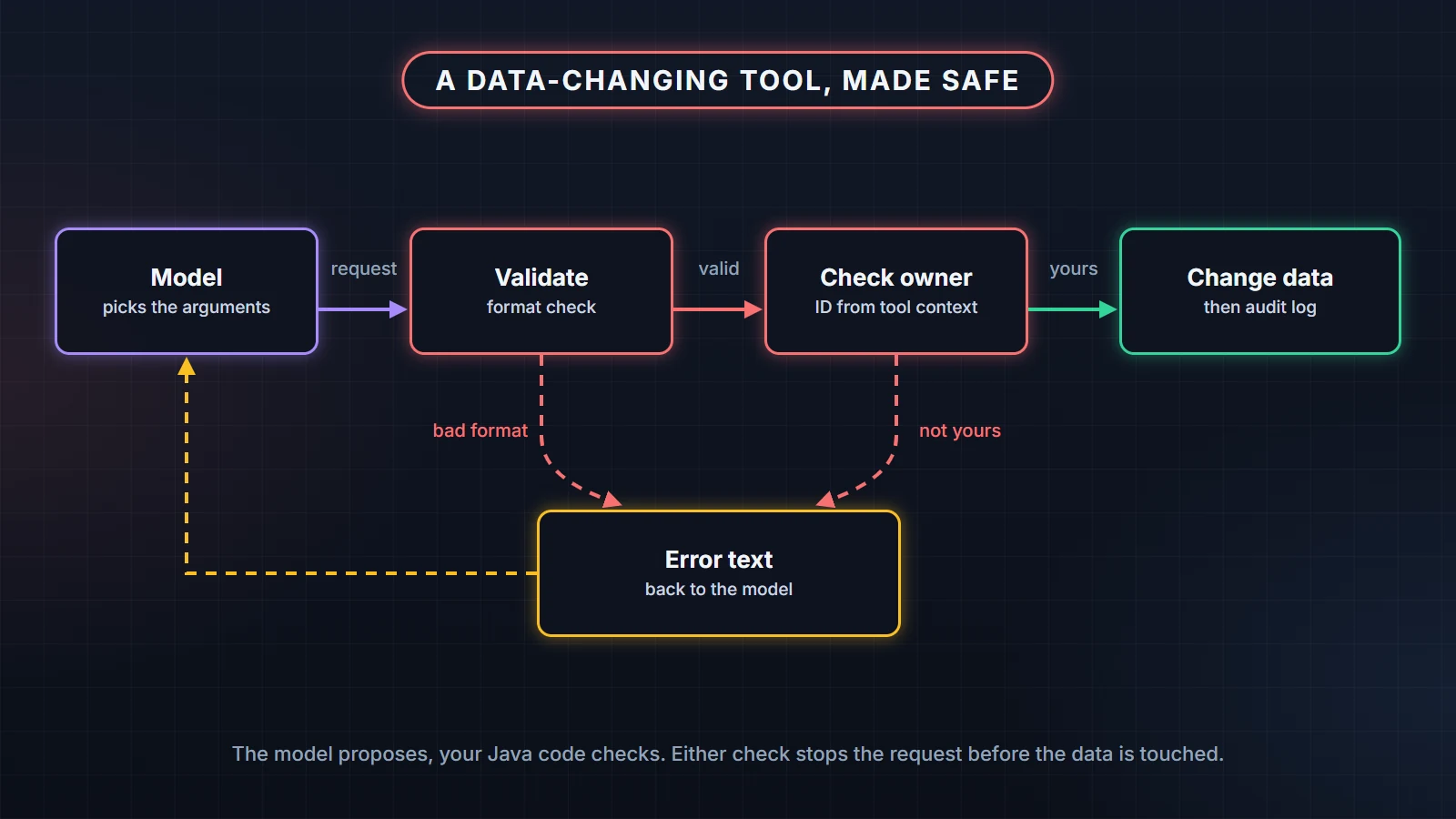
The current docs agree: attach risky and destructive tools per call, not as defaults.
What the model sees when a tool fails
When a tool throws a RuntimeException, Spring AI catches it by default and sends the exception message to the model as the tool result, so the model can explain or try again. The property spring.ai.tools.throw-exception-on-error (default false) changes that. Nothing is logged by default, so the book's project wraps the standard DefaultToolExecutionExceptionProcessor in its own ToolExecutionExceptionProcessor bean that logs each failure and what the model was told. Because the model may repeat the message, write it for a customer.
Limit how many tool calls may run
A confused model may request the same tool over and over, and every round costs another model call in time and money. Spring AI caps tool calls per turn, where a turn is one user question plus every model call and tool call it triggers.
spring.ai.tools.limits.max-calls-per-tool-default: calls allowed for one tool in a turn. The default is 40; the book sets 3.spring.ai.tools.limits.max-total-tool-calls: calls allowed for all tools together. The default is 150; the book sets 6.spring.ai.tools.limits.on-limit-exceeded: what happens at the limit.throwends the turn and is the default;return-error-responsetells the model and lets it go on.
Do not take the name throw literally. In the book's run, with the total set to 1 and a question needing two lookups, your code got no exception: content() handed back "Total tool call limit (1) exceeded for this turn" as the answer, with the finish reason (the code for why the model stopped) set to toolCallLimitExceeded. Read that finish reason from chatResponse() before showing text to a customer.
To give one tool a tighter limit, for example a data-changing tool once per turn, build a ToolCallingManager with maxCallsPerTool("rescheduleDelivery", 1). The tool calling docs list the builder options.
What one tool turn costs
One tool question means at least two model calls. In the book's measured run, "Where is container BHLU1234567?" took two calls and 419 prompt plus 60 completion tokens in total, as summed by Spring AI. Everything the model reads counts as prompt tokens, including the tool list, its own tool request and the tool result. On the book's shared CPU build machine, with Ollama otherwise idle, that one question took about 20 seconds.
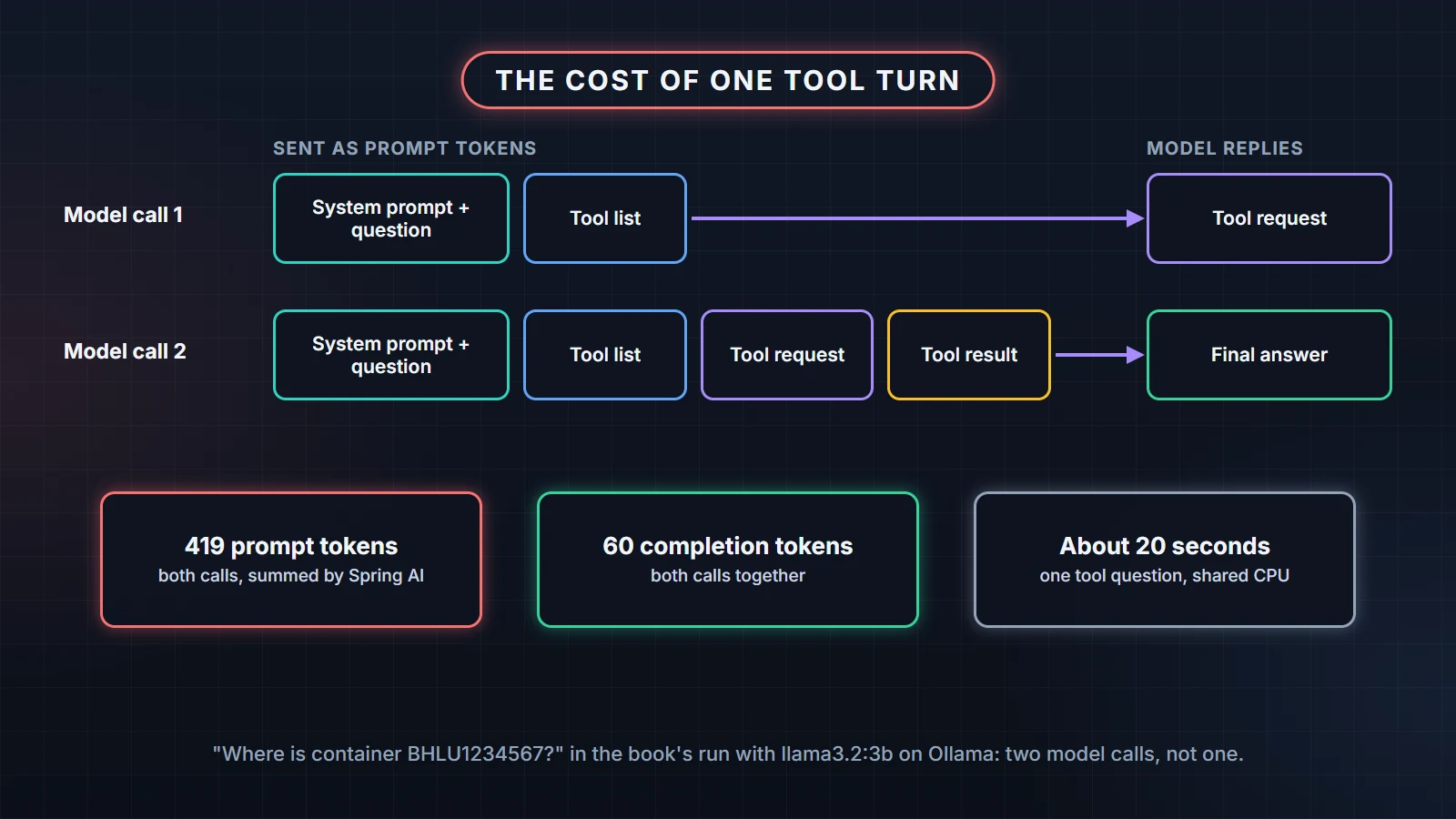
So keep tool lists short, attach tools only where they are needed, and remember that every extra round adds a full model call.
Real failures with a small local model, and their fixes
A small 3B model is a harsh but useful test. All of these happened in the book's runs with llama3.2:3b.
The model reworded the error
A customer tried to move a container that belonged to someone else. The tool reported "This customer has no container BHLU7654321". The model told the user it was "unable to find any container" and asked for the correct number. A small model rewords error text loosely. Fix: rely on the ownership check in Java, which left the data unchanged, not on the model's wording.
The limit message became the answer
With on-limit-exceeded=throw, the limit message came back from content() as normal text. Fix: read the finish reason from chatResponse() and show your own message when it is toolCallLimitExceeded.
Continuing after the limit let the model guess
With return-error-response, the same comparison question was run twice. One run admitted it had no status for the second container. The other said BHLU7654321 "is also at sea", which was invented: the container was on customs hold. Fix: prefer ending the turn, and keep limits high enough for real questions.
The model called a tool it did not need
In the book's LangChain4j chapter, an assistant that was given every tool answered a demurrage question correctly but also called trackContainer(BHLU1234567): it took the example number from the parameter description. Stricter prompts made it worse. Fix: give each assistant only the tools its job needs, as the per-request .tools(..) calls above do.
Go deeper
Chapter 6 of AI Engineering with Java, "Tool calling", builds all of this in seven steps: the tracking tool, the three-input price quote, tool context for the signed-in customer, logging tool failures, the safe data-changing rescheduleDelivery tool, and the tool-call limits. The practice tasks add a routes tool, a test with the project's scripted fake model that proves the model is told why a quote failed, and a once-per-turn limit for the data-changing tool.
See the book at AI Engineering with Java. The product page has a free 5-page sample you can read first.
Related reading
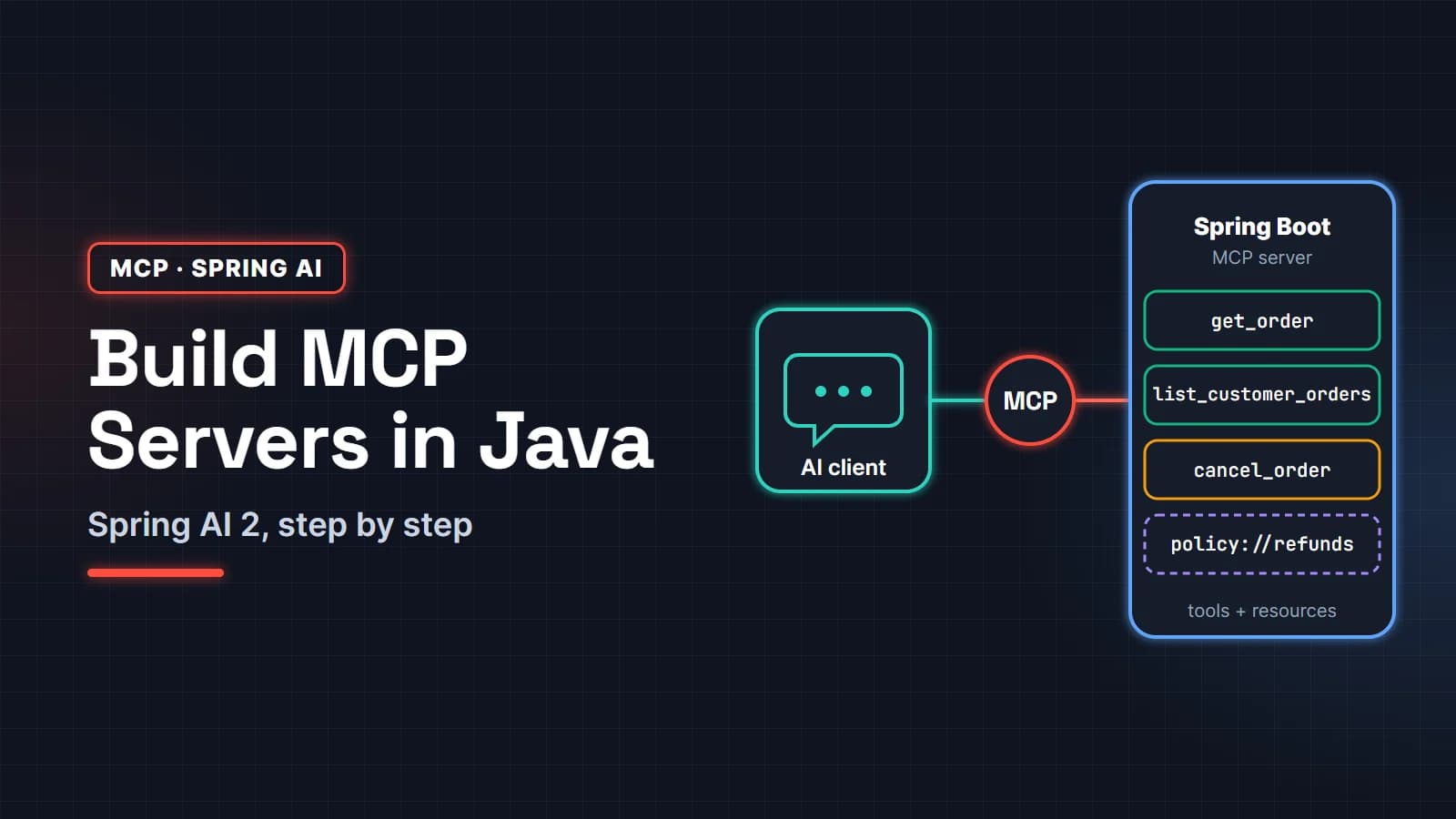
- Build an MCP server in Java with Spring AI
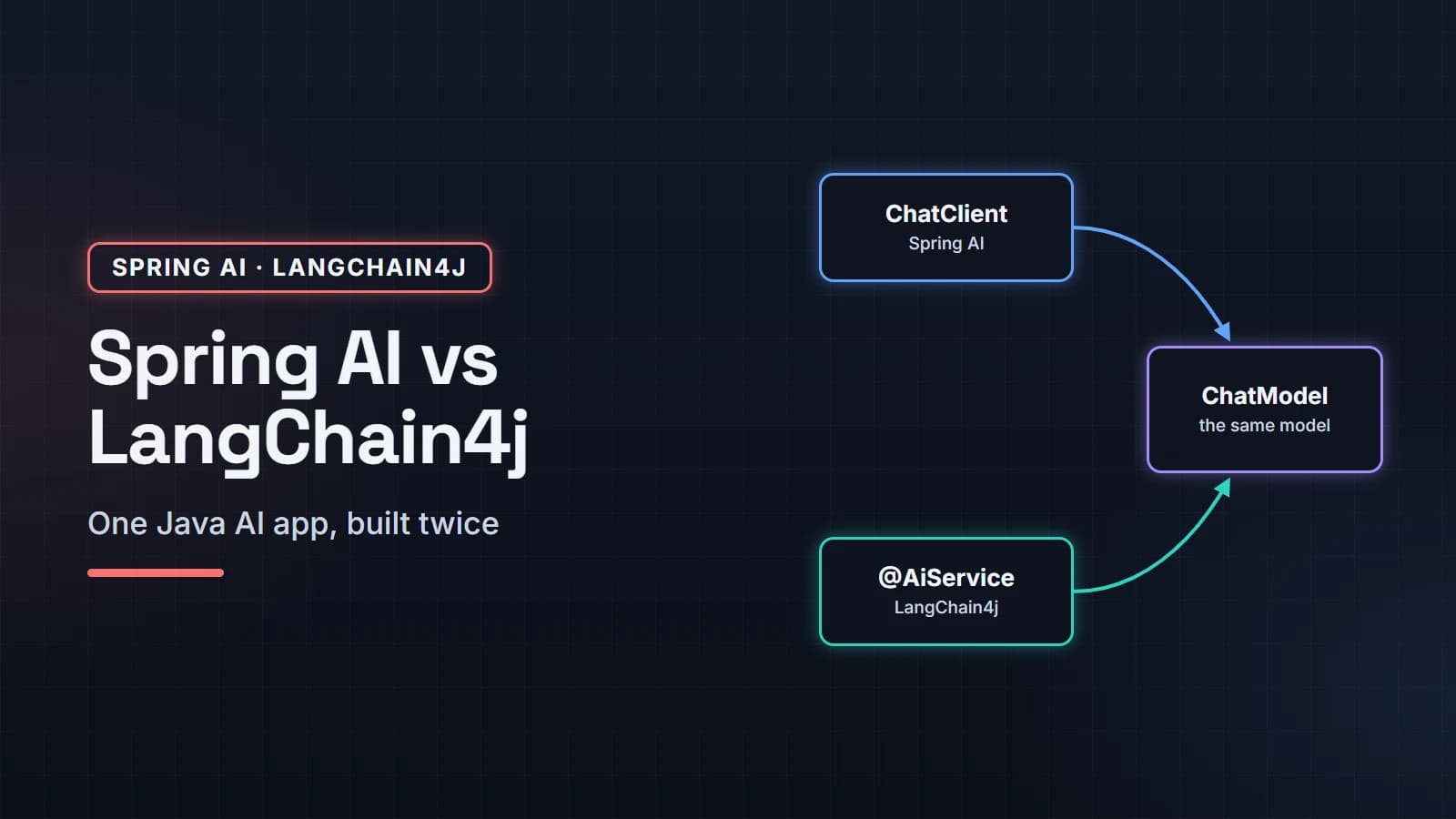
- Spring AI vs LangChain4j: the same app built twice
- Spring AI structured output with Java records
FAQ
What is the difference between tool calling and function calling?
They are two names for the same idea: the model asks for one of your functions by name with arguments, and your application runs it and returns the result. Spring AI uses the term tool calling; LangChain4j titles its page "Tools (Function Calling)".
Does the model execute the tool in Spring AI?
No. The model only returns a request naming the tool and its arguments. Spring AI's ToolCallingAdvisor runs your Java method and sends the result back to the model, which then writes the answer.
How do I pass the user ID to a Spring AI tool?
Put it in the tool context with .toolContext(Map.of(CUSTOMER_ID, customerId)) on the request, and add a ToolContext parameter to the tool method. Spring AI passes the map to the tool and never sends it to the model, so a user cannot talk the model into using another ID.
How many tool calls can Spring AI make in one request?
By default 40 calls per tool and 150 in total per turn, set by spring.ai.tools.limits.max-calls-per-tool-default and spring.ai.tools.limits.max-total-tool-calls. Lower them for production, and check the finish reason, because hitting the limit does not throw to your code.
What happens when a Spring AI tool throws an exception?
By default the exception message is sent to the model as the tool result, so the model can explain the problem or try again. Set spring.ai.tools.throw-exception-on-error=true to rethrow instead, or register a ToolExecutionExceptionProcessor bean to log or reshape the message.