Discover the Basics of Java Programming
- Sahadev Bite
- Nov 3, 2025
- 4 min read

Java is one of the most popular programming languages in the world. It is widely used for building applications, from mobile apps to large-scale enterprise systems. If you are new to programming or want to expand your skills, understanding the basics of Java programming is a great place to start. This article will guide you through the essential concepts, practical examples, and useful tips to help you get comfortable with Java.
Understanding Java Programming Basics
Java is an object-oriented programming language designed to be simple, secure, and platform-independent. This means that Java programs can run on any device that has a Java Virtual Machine (JVM), making it highly versatile.
Key Features of Java
Platform Independence: Write once, run anywhere.
Object-Oriented: Organizes software design around data, or objects.
Robust and Secure: Strong memory management and security features.
Multithreaded: Supports concurrent execution of two or more threads.
Rich API: Provides a vast set of libraries for various tasks.
Basic Structure of a Java Program
A simple Java program typically includes:
```java
public class HelloWorld {
public static void main(String[] args) {
System.out.println("Hello, World!");
}
}
```
`public class HelloWorld` defines a class named HelloWorld.
`public static void main(String[] args)` is the entry point of the program.
`System.out.println` prints text to the console.
This structure is the foundation for all Java applications.

Variables and Data Types
Java supports several data types, including:
int: for integers (e.g., 1, 2, 3)
double: for decimal numbers (e.g., 3.14)
char: for single characters (e.g., 'a')
boolean: for true/false values
Variables store data values and must be declared with a type before use:
```java
int age = 25;
double price = 19.99;
char grade = 'A';
boolean isJavaFun = true;
```
Control Flow Statements
Control flow statements allow you to control the execution path of your program:
if-else: Executes code based on conditions.
for loop: Repeats code a specific number of times.
while loop: Repeats code while a condition is true.
Example of an if-else statement:
```java
if (age >= 18) {
System.out.println("You are an adult.");
} else {
System.out.println("You are a minor.");
}
```
Exploring Java Programming Basics in Depth
To master Java, it is important to understand its core concepts beyond syntax. Here are some fundamental topics to explore:
Object-Oriented Programming (OOP) Concepts
Java is built on OOP principles, which include:
Classes and Objects: Classes are blueprints for objects. Objects are instances of classes.
Encapsulation: Hides internal data and only exposes necessary parts.
Inheritance: Allows a class to inherit properties and methods from another class.
Polymorphism: Enables one interface to be used for a general class of actions.
Example of a simple class and object:
```java
public class Car {
String color;
int year;
void displayInfo() {
System.out.println("Color: " + color + ", Year: " + year);
}
}
public class Main {
public static void main(String[] args) {
Car myCar = new Car();
myCar.color = "Red";
myCar.year = 2020;
myCar.displayInfo();
}
}
```
Exception Handling
Java provides a way to handle errors gracefully using try-catch blocks:
```java
try {
int result = 10 / 0;
} catch (ArithmeticException e) {
System.out.println("Cannot divide by zero.");
}
```
This prevents the program from crashing and allows you to manage unexpected situations.
Java Development Tools
To write and run Java programs, you need:
JDK (Java Development Kit): Includes tools to compile and run Java code.
IDE (Integrated Development Environment): Software like Eclipse, IntelliJ IDEA, or NetBeans that helps write code efficiently.
Using an IDE can speed up learning and development by providing features like code completion and debugging.

Is C++ or Java Harder?
When comparing Java and C++, many beginners wonder which language is harder to learn. Both have their strengths and challenges.
Learning Curve
Java: Generally considered easier for beginners due to its simpler syntax and automatic memory management (garbage collection).
C++: More complex because it requires manual memory management and has more advanced features like pointers.
Syntax and Complexity
Java syntax is cleaner and more consistent.
C++ offers more control over system resources but at the cost of increased complexity.
Use Cases
Java is widely used for web applications, Android apps, and enterprise software.
C++ is preferred for system programming, game development, and applications requiring high performance.
Recommendation
If you are new to programming, starting with Java is often recommended. It allows you to grasp fundamental programming concepts without getting overwhelmed by low-level details.
Practical Tips for Learning Java Effectively
Learning Java can be enjoyable and productive if you follow some practical strategies:
Start with Small Projects
Build simple programs like calculators, to-do lists, or basic games. This helps reinforce concepts and keeps motivation high.
Practice Regularly
Consistency is key. Dedicate time daily or weekly to coding exercises and challenges.
Use Online Resources
There are many free and paid resources available. For example, you can follow a java tutorial to get structured lessons and hands-on practice.
Join Coding Communities
Participate in forums, coding groups, or social media communities to ask questions, share knowledge, and get feedback.
Read and Understand Code
Study open-source Java projects or sample codes to see how experienced developers solve problems.
Moving Forward with Java Programming
Once you have a solid grasp of the basics, you can explore advanced topics such as:
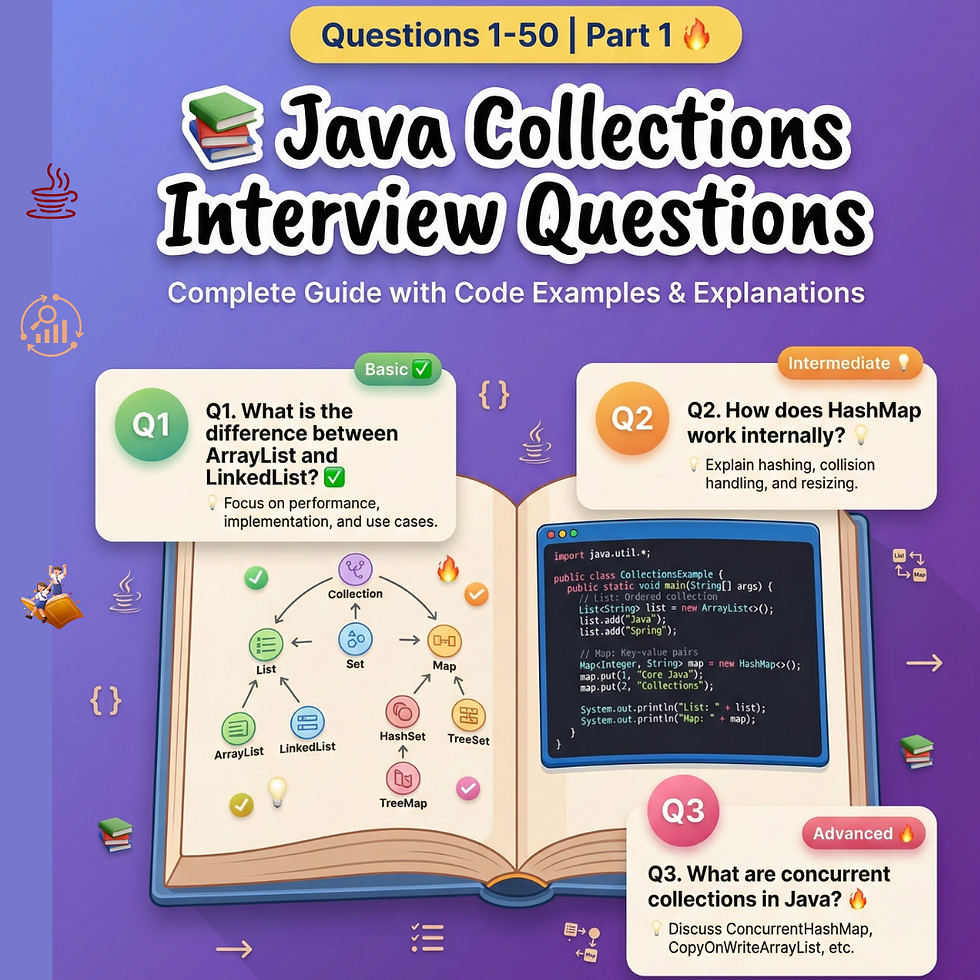
Java Collections Framework: Efficient data structures like lists, sets, and maps.
Multithreading and Concurrency: Writing programs that perform multiple tasks simultaneously.
JavaFX and Swing: Building graphical user interfaces.
Spring Framework: Developing enterprise-level applications.
Mastering these areas will open up many career opportunities and allow you to build complex, real-world applications.
Learning Java is a rewarding journey that builds a strong foundation for any programming career. With patience, practice, and the right resources, you can become proficient and confident in Java programming.





Comments