 Tech Tribers
React Server Components vs Client Components: What Runs Where
What runs on the server and what ships to the browser in the Next.js App Router: the 'use client' boundary, serializable props, data fetching and streaming.
New11 min read
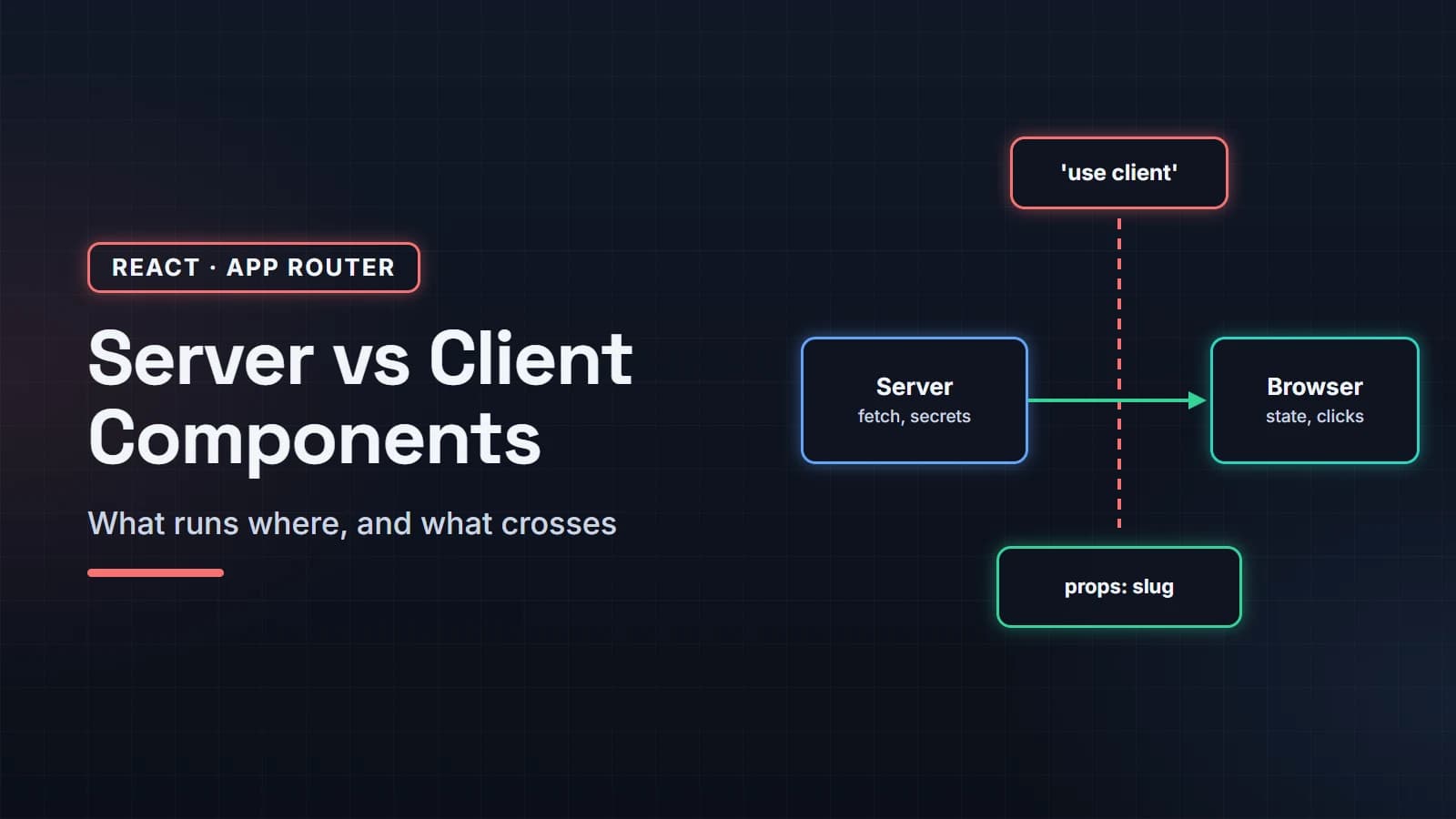
React Server Components vs Client Components is the first real decision you make in every Next.js App Router file: does this code run only on the server, or does it also ship to the browser? Get it right and pages load fast with little JavaScript. Get it wrong and you either leak data into the page or fight confusing build errors.
This guide is for developers who know some React, or who come from Java and Spring, and want a clear model of where each component runs. The examples come from a course catalogue built with Next.js 16 and React 19 on top of a Spring Boot API.
You will learn what runs where by default, what the 'use client' directive really pulls into the browser, which props can cross the boundary, how async Server Components fetch data without waterfalls and stream slow parts, and when you truly need a Client Component.
In this guide
- What runs where by default
- The 'use client' boundary and what it pulls in
- What can cross the boundary
- Async Server Components: data without waterfalls
- Streaming slow parts with Suspense
- When you need a Client Component
- Common mistakes
- For Java and Spring developers
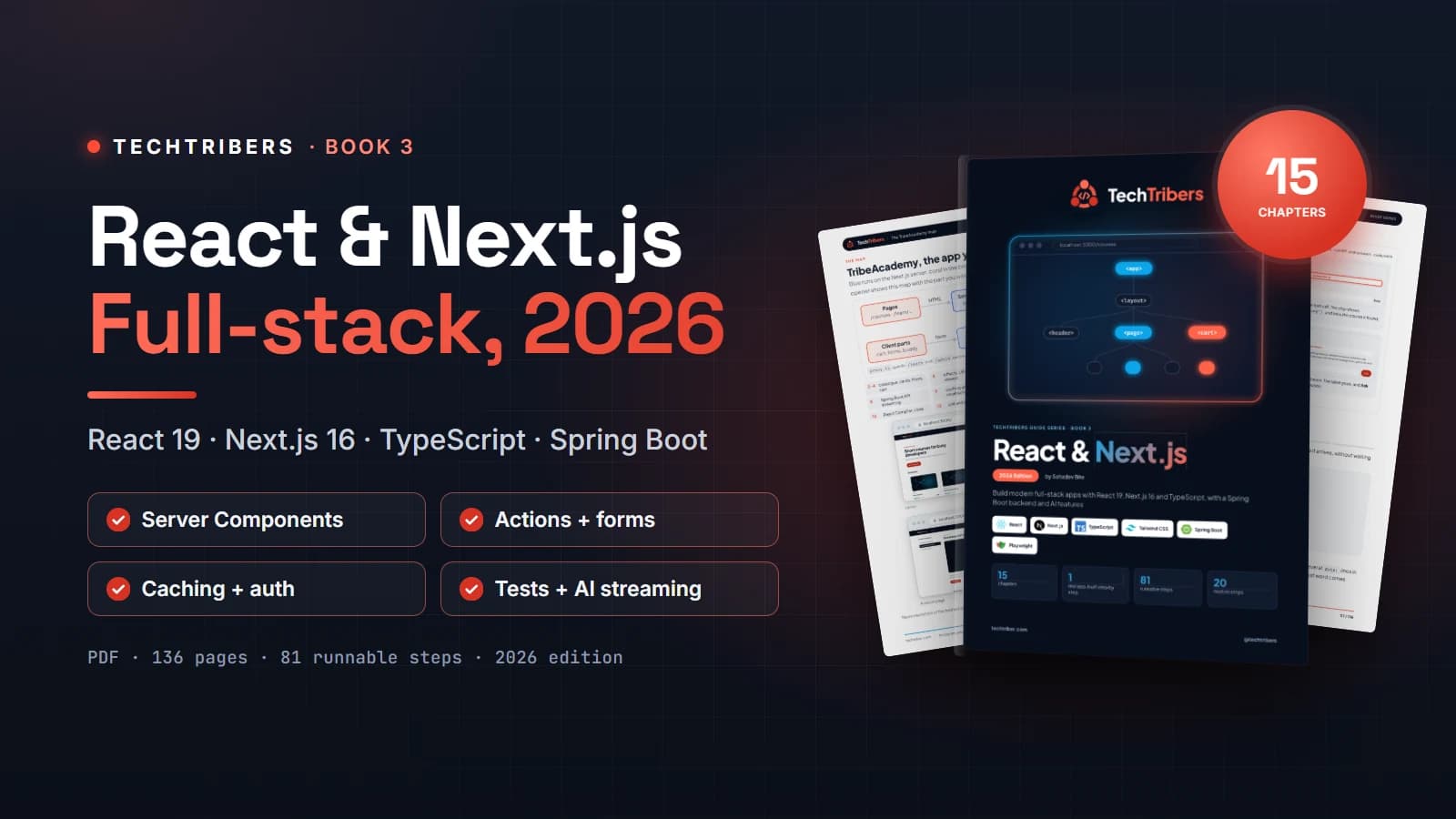
From the book: this guide is based on Chapters 1 and 8 of React & Next.js 2026, where you build a full-stack React and Next.js app step by step, with the code for every chapter. Read the free 5-page sample on the book page.
What runs where by default
A component is a function that returns a description of part of the screen, written in JSX. Components render other components, so a page becomes a component tree.
Every layout and page in the Next.js App Router starts life as a Server Component. Its code executes on the server alone, so it may touch files, a database or a secret key without any of that code being shipped to users. A Client Component is different: its code is sent to the browser as well, which is what lets it keep state and respond to clicks.
The name "Client" is a little misleading. On a direct visit, a Client Component is rendered on the server to HTML too, then runs again in the browser. That second run is called hydration: React attaches the event handlers to the HTML the server sent, so the page becomes interactive. After that, every click is handled in the browser alone.
- Server Component: renders on the server; its code never runs in the browser.
- Client Component: renders on the server for the first HTML, and again in the browser to hydrate and handle updates.
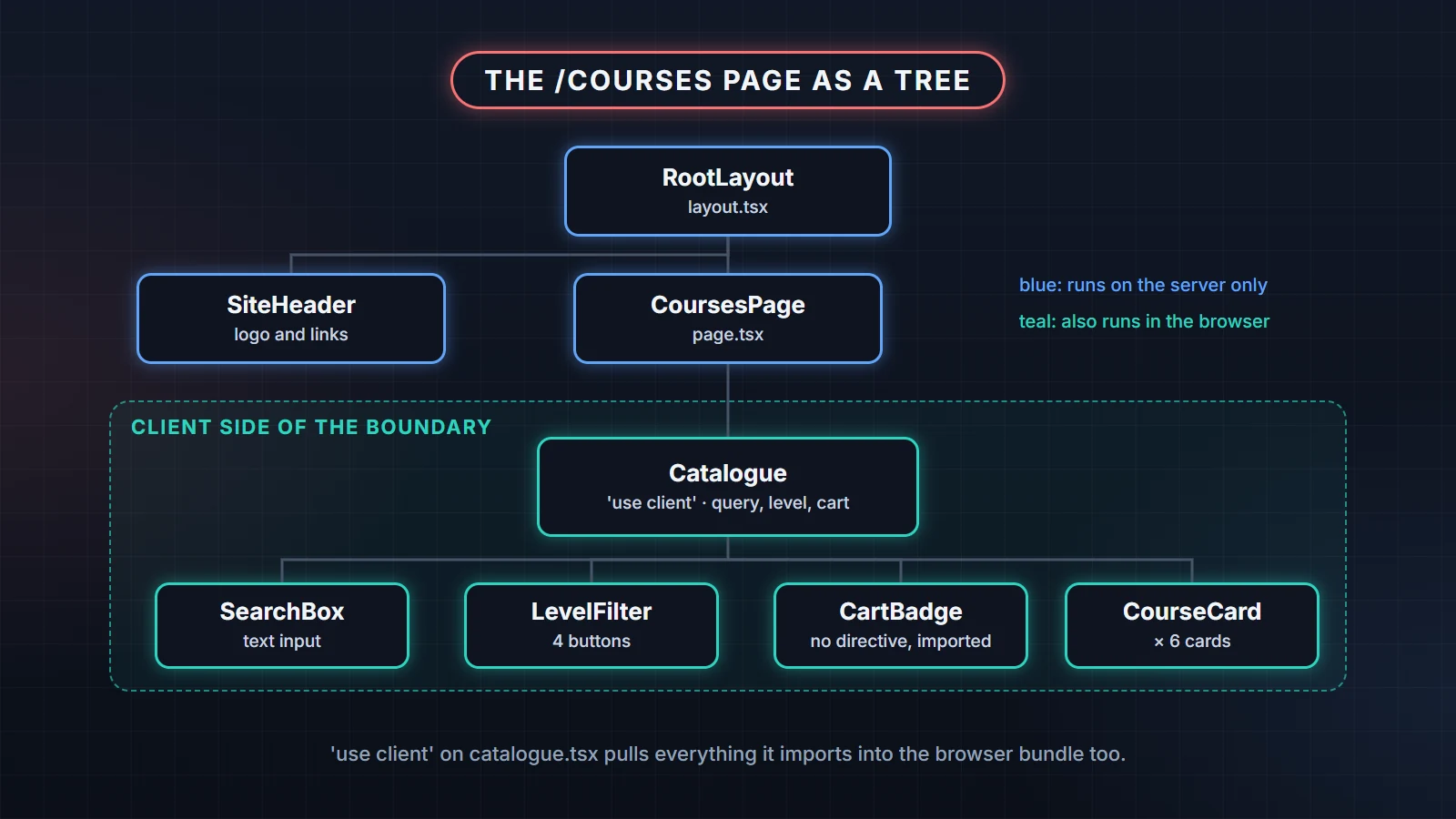
What actually travels to the browser? The server sends HTML plus the RSC Payload, a compact serialized description of the rendered tree. It holds the output of the Server Components, a placeholder and a JavaScript reference for each Client Component, and the props passed to them. On later client-side navigations, the browser gets a new RSC Payload instead of a full page, and Client Components render in the browser without server HTML.
The 'use client' boundary and what it pulls in
You mark a Client Component by putting 'use client' at the top of the file, above the imports. The directive does more than mark one component. It draws a boundary in the module graph: every module that file imports, and every component it renders directly, joins the client bundle too.
Here is the stateful catalogue from the book's Chapter 4 app. It needs state for the search text, the chosen level and the cart, and state needs the browser:
"use client";

import { useState } from "react";
import { CartBadge } from "./cart-badge";
// ...

export function Catalogue({ courses }: { courses: Course[] }) {
  const [query, setQuery] = useState("");
  const [level, setLevel] = useState<LevelChoice>("all");
  const [cart, setCart] = useState<string[]>([]);

  function addToCart(slug: string) {
    setCart((current) => [...current, slug]);
  }
  // ... filter the list, render SearchBox, LevelFilter, CartBadge, cards
}
cart-badge.tsx has no directive of its own, yet CartBadge runs in the browser. The reason: catalogue.tsx imports it, so it is on the client side of the boundary. You only need 'use client' at the entry to a client subtree, not on every file inside it.
There is one important exception. Server Components passed into a Client Component as children or other props are not imported by it. They render on the server, and the Client Component receives only their output.
Keep the boundary small
Mark only the pieces that need interactivity, never a whole page. Everything static then remains a Server Component, and less JavaScript goes down the wire. In the book's Chapter 8 version of the catalogue, the toolbar and the add-to-cart buttons are Client Components, while the page, the grid and every course card stay on the server.
What can cross the boundary
Code crosses the boundary through imports. Data crosses it through props, and those props must be serializable, because React writes them into the RSC Payload. In practice:
- Crosses: strings, numbers, booleans,
null, plain objects and arrays. React's reference also listsDate,Map,Setand Promises. - Crosses: rendered JSX, such as
children. - Crosses as a reference: a Server Function marked with
'use server'. - Does not cross: plain functions such as an
onClickhandler (passing one throws), classes and class instances. - Stays on the server: the code of Server Components and what they import, such as your API client.
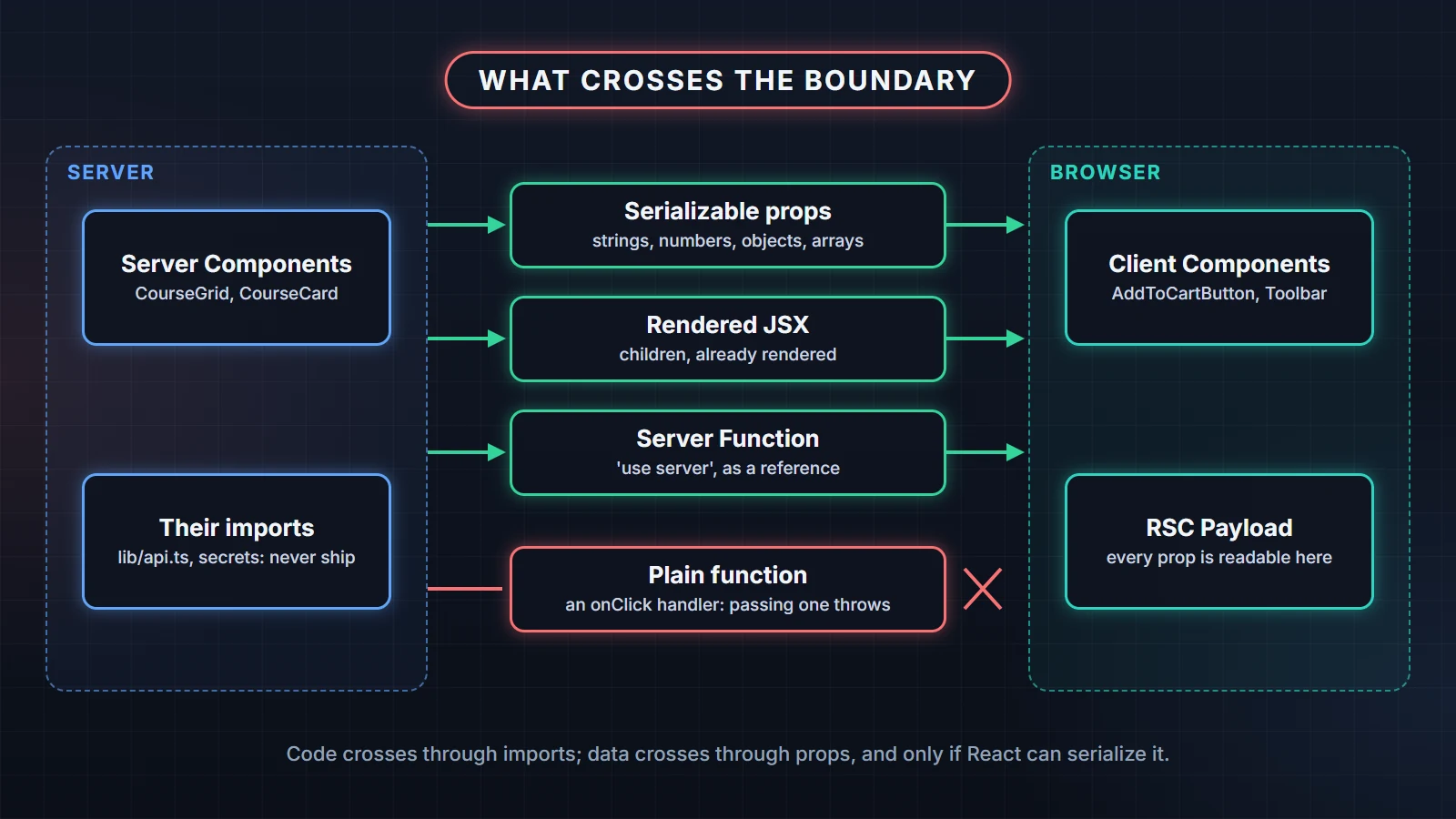
The children rule gives you a powerful pattern. In the Chapter 8 app, CourseGrid is an async Server Component, CourseCard is a Server Component, and only the button is a Client Component:
export async function CourseGrid({ searchParams }: { searchParams: Search }) {
  const { q, level } = await searchParams;
  const query = typeof q === "string" ? q.toLowerCase() : "";
  const wanted = parseLevel(level);
  const courses = (await api.getCourses()).filter(
    (c) =>
      c.title.toLowerCase().includes(query) &&
      (wanted === "all" || c.level === wanted),
  );
  // ... "No courses match." when the list is empty
  return (
    <div className="mt-6 grid grid-cols-3 gap-5">
      {courses.map((course) => (
        <CourseCard key={course.slug} course={course}>
          <AddToCartButton slug={course.slug} />
        </CourseCard>
      ))}
    </div>
  );
}
The filtering happens on the server, and the browser gets finished HTML. Each card's code never ships. The only thing that crosses to the browser for each card is one string prop, the slug, which the button needs.
That last point is also a security rule. Props that cross end up in the page source, so anyone can read them. Give a Client Component only the fields it uses, such as a slug, never a whole API record.
Async Server Components: data without waterfalls
A Server Component can be async. It awaits its data while it renders, on the server: no useEffect, no loading flag, and no API route that exposes the data first. Here is the course page:
export default async function CoursePage({ params }: PageProps<"/courses/[slug]">) {
  const { slug } = await params;
  // two requests at once, not one after the other
  const [course, lessons] = await Promise.all([
    api.getCourse(slug),
    api.getLessons(slug),
  ]);
  if (!course) notFound();

  return (
    <article className="max-w-4xl">
      <RememberCourse slug={slug} />
      <CourseHeader course={course} lessonCount={lessons.length} />
      <LessonList slug={slug} lessons={lessons} />
      <Suspense fallback={<ReviewsSkeleton />}>
        <CourseReviews slug={slug} />
      </Suspense>
    </article>
  );
}
The course and its lessons do not depend on each other, so the page asks for both at once. Awaiting them one by one would be a waterfall: the second request waits for the first. With Promise.all, two requests in parallel take as long as the slower one, not the sum of both.
One trade-off to know: if either request fails, Promise.all fails as a whole. Promise.allSettled lets you show the part that worked.
Streaming slow parts with Suspense
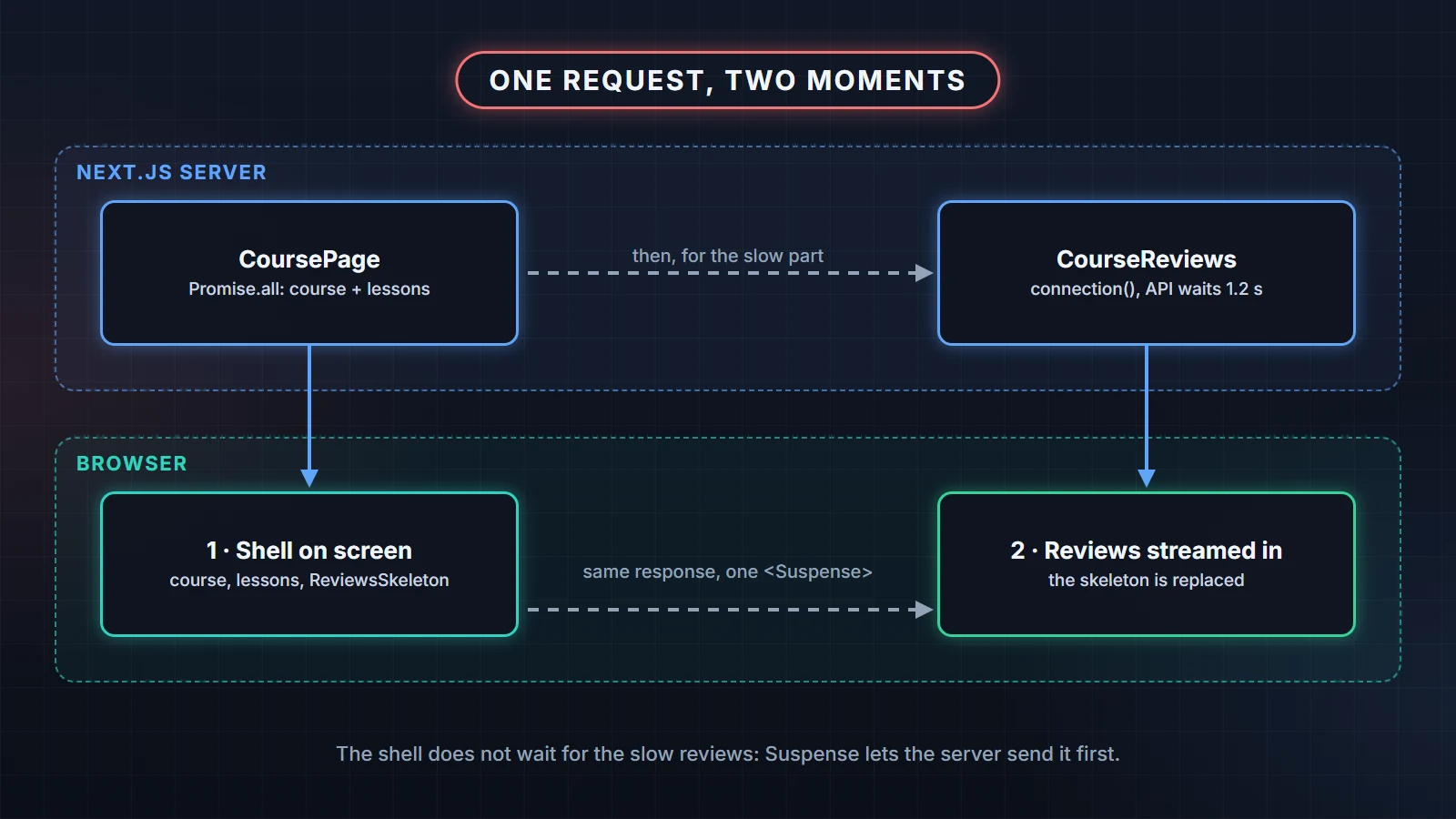
New reviews can arrive at any time, so the page loads them per visitor instead of caching them. They are also the slow part, so they sit inside a <Suspense> boundary. With streaming, the server sends the page around the boundary first, with a skeleton as the fallback, and streams the reviews into the same response when they are ready.
CourseReviews is itself an async Server Component. It calls connection() so this part waits for a real request and is never prerendered, then passes the list to the interactive reviews component as a prop. In the book's app the page asks the Spring Boot endpoint to sleep for 1.2 seconds on purpose (a delay query parameter, capped at 3 seconds), so you can watch the course and lessons appear first and the reviews replace their skeleton a moment later.
A loading.tsx file next to a page does the same job at route level: it wraps the whole page segment in a Suspense boundary with that file as the fallback.
A build gotcha from the book: with Cache Components switched on, an uncached fetch outside <Suspense> stops next build with "Next.js encountered uncached or runtime data during prerendering". The Chapter 8 app passed in mock mode and failed against the real API. The fix is a boundary around the data, or caching the read, which is the subject of our Next.js 16 caching guide.
When you need a Client Component
The Next.js docs give a short rule of thumb. Use a Client Component when you need:
- State and event handlers, such as
useStateandonClick. - Effects, such as
useEffect. - Browser-only APIs, such as
localStorage,windowor geolocation. - Custom hooks built on the above.
React context also needs one, because Server Components do not support it. Wrap the provider in a small Client Component that takes children.
Use a Server Component to fetch data close to its source, to use API keys and other secrets without exposing them, to send less JavaScript to the browser, and to show content sooner by streaming it in.
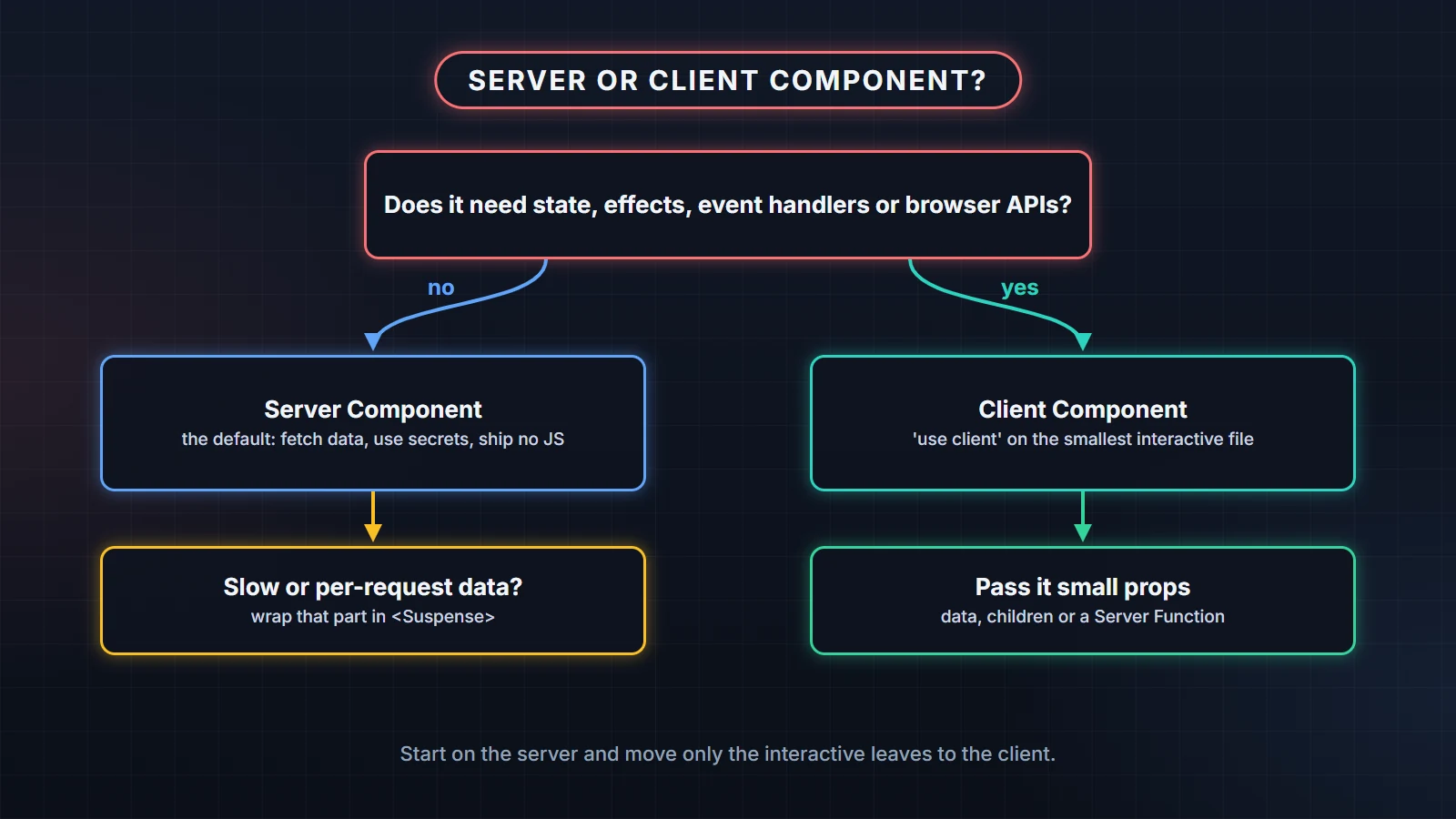
Not every interactive element needs a Client Component. A <details> element opens and closes on its own, and a <form> can submit through a Server Function passed to its action prop. Reach for 'use client' when the behaviour depends on browser state that changes over time, such as a controlled input or a live filter.
Common mistakes
- Marking a whole page with 'use client'. Everything it imports ships to the browser. Move the directive down to the small interactive part.
- Passing a function prop from a Server Component. An
onClickcannot cross the boundary. Pass data, or a Server Function. - Passing whole API records. Every prop is readable in the page source. Pass only the fields the component needs.
- Importing server-only code into the client. A module that reads a secret can be imported by a Client Component by accident. Only
NEXT_PUBLIC_environment variables reach the client bundle; others are replaced with an empty string. Addimport 'server-only'to such modules so the build fails instead. - Using a third-party component that needs state, straight from a Server Component. If the library file has no
'use client', wrap it in your own small file that has one. - Awaiting independent requests one after another. Start them together with
Promise.all.
For Java and Spring developers
Think of a component as a method, not a class. React invokes CartBadge({ count }) and receives a piece of UI. The props object is the parameter list, and JSX is a template that TypeScript type-checks like any other code.
The book compares Server Components to a restaurant kitchen. The cooks fetch from the store room (the Spring Boot API), and each dish goes out as soon as it is ready, so a slow curry does not hold up the starters. That is streaming. Diners, like the browser, never enter the store room.
The data layer maps well too. The app talks to the backend through one Api interface with two implementations, a mock and an HTTP client, much like one Spring interface with a @Profile("mock") bean and a real bean. The HTTP implementation does the job of a RestClient, and Zod validates every JSON response, as Jackson plus Bean Validation would validate an incoming body in Spring.
Go deeper
Chapter 1, "How React thinks", and Chapter 8, "Server Components and data fetching", of React & Next.js, 2026 Edition (TechTribers Guide Series, Book 3) take this further. In Chapter 1 you trace one click through render and commit and find the 'use client' boundary in a real app. In Chapter 8 you load the TribeAcademy catalogue from a Spring Boot API in async Server Components, build a typed mock-or-HTTP API layer with Zod checks, read filters on the server and stream reviews behind a skeleton.
The product page has a free 5-page "Look inside" sample, so you can see the format first.
Related reading
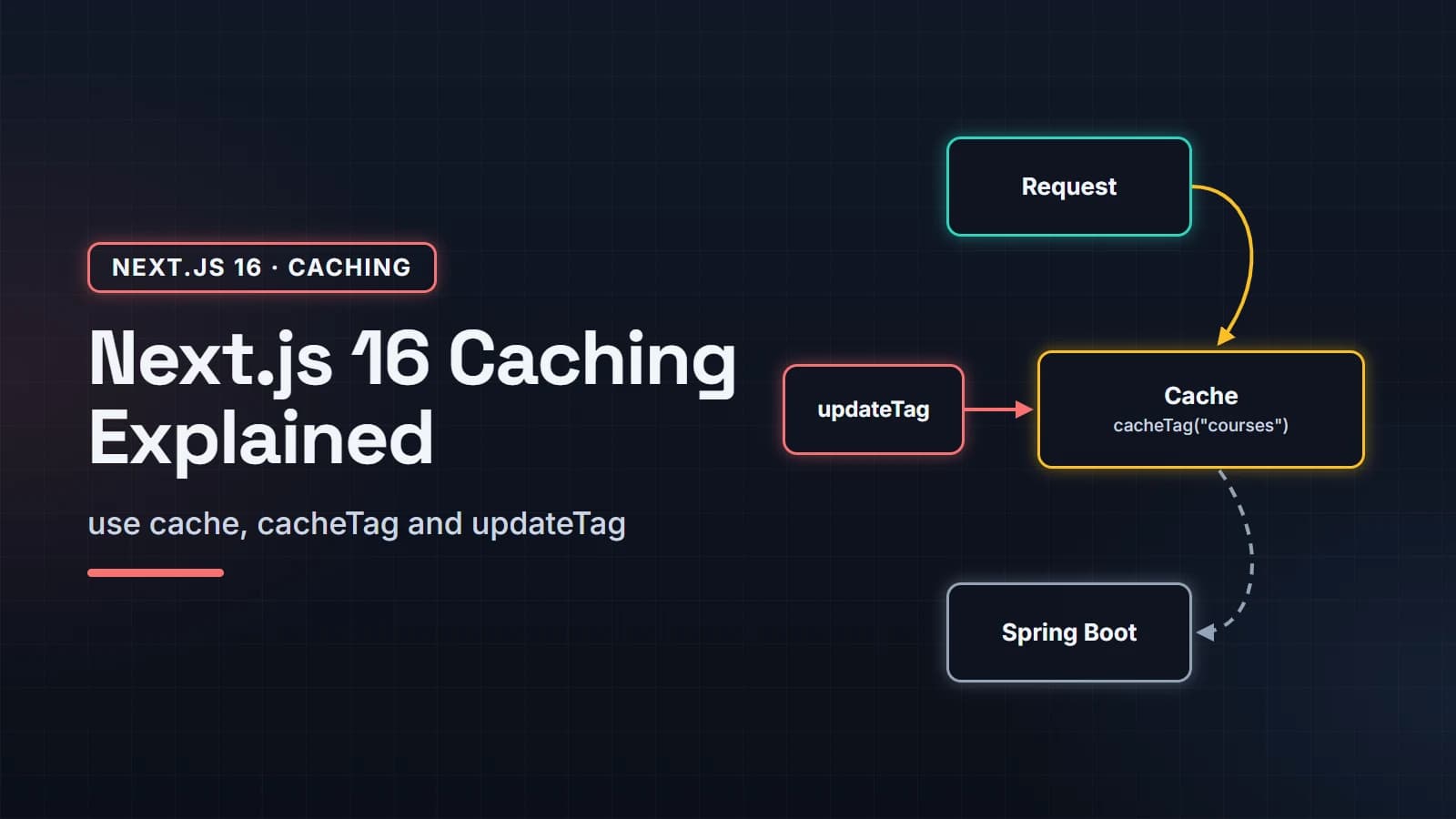
- Next.js 16 caching explained: use cache, cacheTag and updateTag
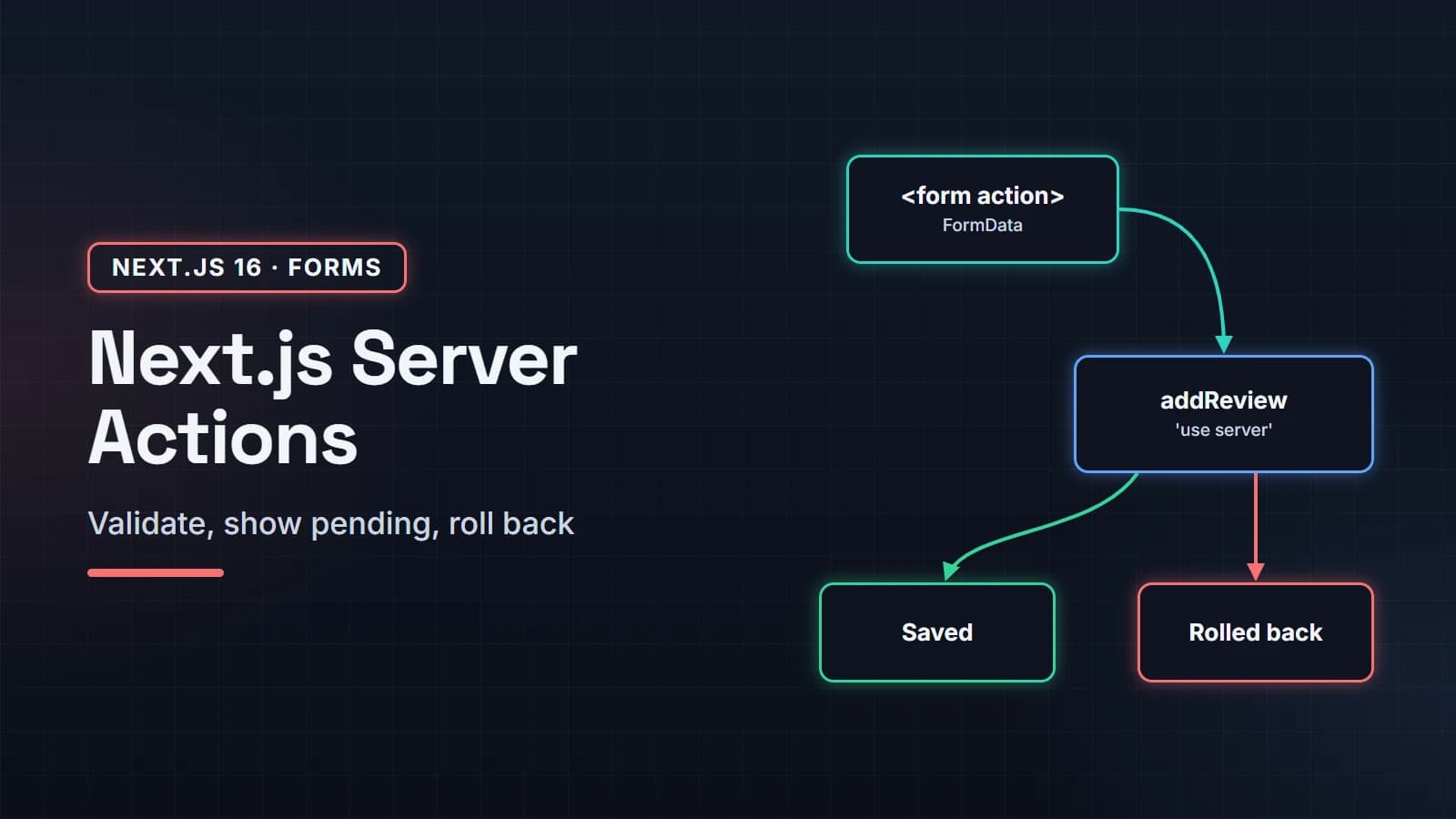
- Next.js Server Actions with useActionState and useOptimistic
- Full-stack preparation guide for developer interviews
Official references: Next.js Server and Client Components, The Server and Client Boundary, React's 'use client' reference and Suspense.
FAQ
Are components Server Components by default in Next.js?
Yes. In the App Router, layouts and pages are Server Components by default. A component becomes a Client Component when its file starts with 'use client', or when it is imported by a file that does.
Do Client Components render on the server?
Yes, on a direct visit. Next.js renders Client Components to HTML on the server for a fast first view, then React runs them again in the browser to hydrate them. Server Components run only on the server, and their code never ships.
Can a Server Component pass a function to a Client Component?
Not a plain function. Props must be serializable, so an onClick handler cannot cross and passing one throws. A Server Function marked with 'use server' is the exception: it crosses as a reference.
Can I use useState or useEffect in a Server Component?
No. Hooks like useState and useEffect, and event handlers, need code that runs in the browser, and Server Component code never gets there. Move that part into a small Client Component.
Can a Client Component render a Server Component?
It cannot import one, but it can display one. Pass the Server Component in as children or another prop from a Server Component parent. It renders on the server, and the Client Component only places its output.