 Tech Tribers
Testing LLM Applications in Java: Stubs, Testcontainers and Evals
Unit test your Spring AI code against a stubbed model, run pgvector and Ollama in Testcontainers, test your LLM judge, and fail the build when a golden score drops.
New12 min read
Testing LLM applications in Java needs two different kinds of check: tests that prove your own code works, and evals that measure how good the model's answers are. Mix them up and you get either a test suite that fails at random or one that passes while the answers quietly get worse.
This guide is for Java and Spring Boot developers who have a Spring AI app in front of real users and want to change a prompt without holding their breath. You will write unit tests against a stubbed model, run pgvector and the model itself in throwaway containers with Testcontainers, use the Spring AI evaluators as an LLM judge, and keep a golden dataset whose score fails the build when it drops.
All examples and numbers come from Chapter 13 of AI Engineering with Java (TechTribers Guide Series, Book 1). The book runs Spring AI 2.0.2, Spring Boot 4.1.2, Java 25 and Testcontainers 2.0.5, with llama3.2:3b on Ollama as the local model.
In this guide
- Why normal asserts fail on model output
- Layer 1: unit tests against a stubbed model
- Layer 2: container tests with Testcontainers
- Layer 3: LLM evals with a judge model
- A golden dataset with a score that can fail the build
- When to run which test
From the book: this guide is based on Chapter 13 of AI Engineering with Java, where you build a complete Spring AI app step by step, with real output for every run. Read the free 5-page sample on the book page.
Why normal asserts fail on model output
Picture a one-line edit to your assistant's system prompt late on a Friday. Is the tool loop still intact? Are the answers about port free days still as good as last week? Without tests, all you can do is try a handful of questions yourself and hope for the best.
A normal assertion such as assertEquals("It arrives on 20 November.", answer) does not work here. A model can phrase the same correct answer in many ways, and the phrasing can change when you change the prompt, the model or its version. An exact match fails on good answers. A loose match passes on bad ones.
A kitchen-appliance factory is a useful comparison. Checking that a pressure cooker matches its drawing (does the lid lock, is the whistle there?) is quick, and every inspector gets the same result. Cooking a pot of dal in it and asking a panel how it tastes is slow, and the tasters will not always agree. You need the first kind of check for your code and the second kind for the model:
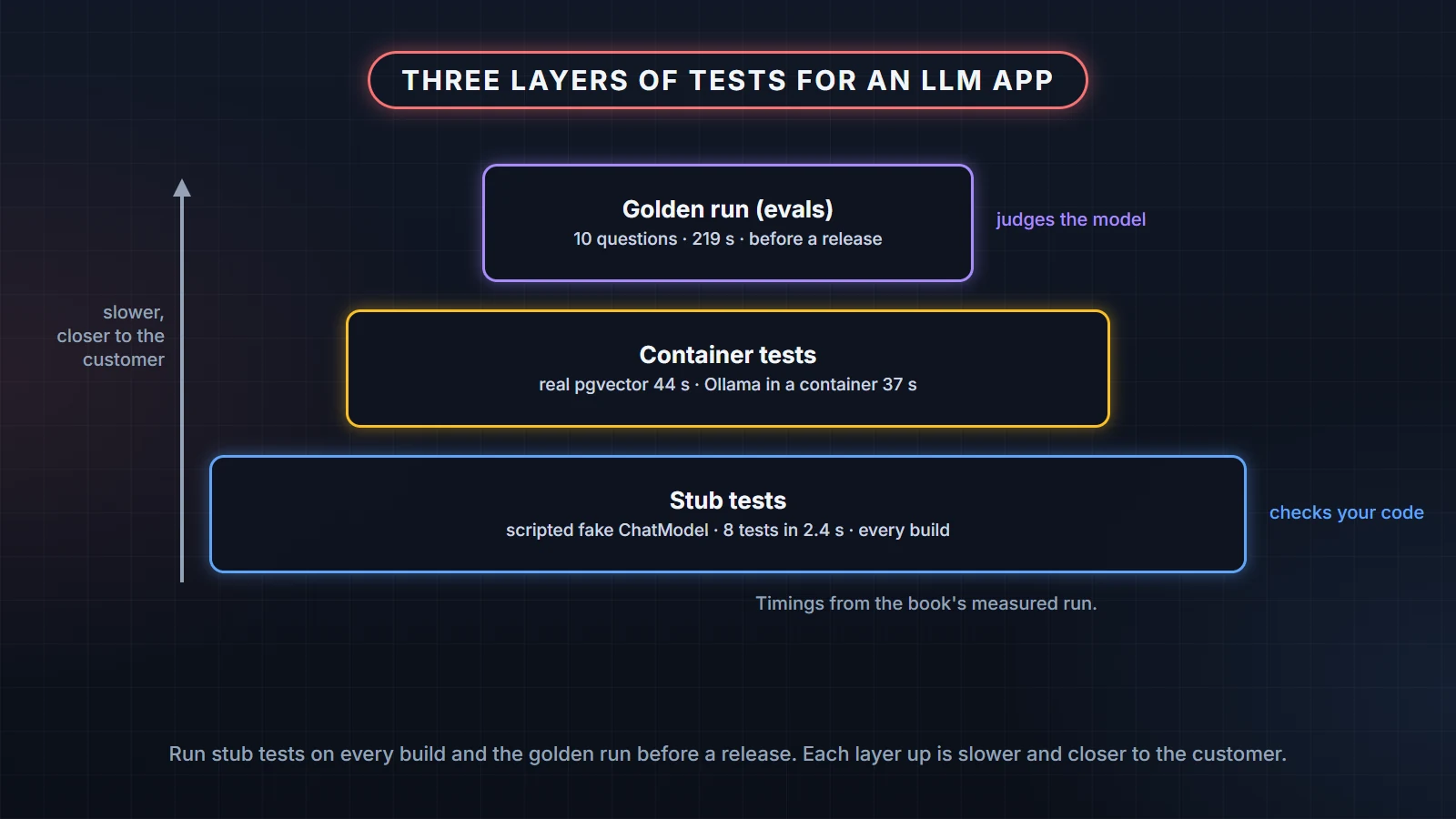
- Tests check your code. They use a stub, a fake model that returns answers you scripted. No network, milliseconds, the same result every run. Run them on every build.
- Evals judge the model. They ask a real model real questions and score what comes back. Minutes, not milliseconds, and the result is a score rather than a tick. Run them before a release.
Layer 1: unit tests against a stubbed model
In Spring AI, ChatModel is an interface, so a test can implement it. The book's stub plays a script of replies and remembers every prompt it received. A test helper passes it to ChatClient.builder(model): no Spring context, no Ollama, no API key.
/** A fake model: plays a script and remembers every prompt it got. */
class StubChatModel implements ChatModel {

    final List<Prompt> prompts = new ArrayList<>();
    private final Deque<AssistantMessage> script = new ArrayDeque<>();

    StubChatModel(AssistantMessage... replies) {
        script.addAll(List.of(replies));
    }

    static AssistantMessage says(String text) {
        return new AssistantMessage(text);
    }

    @Override
    public ChatResponse call(Prompt prompt) {
        prompts.add(prompt);
        return new ChatResponse(List.of(new Generation(script.remove())));
    }
    // ... getOptions() and the rest of the class
}
Because the stub keeps every prompt, you can assert on what your code sent, not only on what came back. That makes it possible to test the whole tool-calling loop. The first scripted reply asks for a tool, as a real model would. The second is the final text:
@Test
void runsTheToolAndSendsItsResultBackToTheModel() {
    StubChatModel model = new StubChatModel(
            callsTool("trackContainer",
                    "{\"containerNumber\":\"BHLU1234567\"}"),
            says("It is at sea and arrives on 20 November."));

    String answer = cargoPilot(model).ask("Where is BHLU1234567?");

    assertThat(answer).contains("20 November");
    assertThat(model.prompts).hasSize(2);
    assertThat(toolResult(model.prompts.get(1)))
            .contains("AT_SEA")
            .contains("2026-11-20");
}
The test proves three things: the model was called twice, your tool really ran, and its result (the container is AT_SEA, arriving 2026-11-20) went back to the model at the end of the second prompt as a ToolResponseMessage. In the book's build, eight such tests ran in about 2.4 seconds of test time.
A gotcha with stubs and tools
The book's first run got null as the answer. The reason: Spring AI's ToolCallingAdvisor skips the tool loop unless the stub's getOptions() returns ToolCallingChatOptions. If your stub is a plain fake, make sure it claims to support tools, or the loop you want to test never starts.
Remember what a passing stub test means. It says nothing about the quality of the model's answers. It proves your code sent the right prompt and handled the reply correctly. That is valuable, and it is all it proves.
Layer 2: container tests with Testcontainers
A stub knows nothing about your database. Whether the SQL runs, the vector dimensions match and the metadata filters work can only be checked against a real one. Testcontainers gives you that: it runs the service in a Docker container for the length of the test run and then throws the container away.
A throwaway pgvector database
With Spring Boot, a container declared as a bean with @ServiceConnection becomes a service connection: Spring Boot reads the host, port and password from the running container, so the test needs no database URL in its configuration. The Spring Boot 4.1 Testcontainers docs explain that a PostgreSQLContainer provides JDBC connection details this way. Here is the book's configuration:
/** A throwaway pgvector database for the tests that import this. */
@TestConfiguration(proxyBeanMethods = false)
class Containers {

    @Bean
    @ServiceConnection
    PostgreSQLContainer pgvector() {
        DockerImageName image = DockerImageName
                .parse("pgvector/pgvector:pg17")
                .asCompatibleSubstituteFor("postgres");
        return new PostgreSQLContainer(image);
    }
}
The asCompatibleSubstituteFor("postgres") line matters: without it, Testcontainers rejects the pgvector image name. A test class with @Import(Containers.class) then loads the policy PDFs and checks that a search finds the right document. In the book's run, 17 chunks were stored, the best hit scored 0.738, and the test took 44.17 seconds. Note that only the database was in a container: the embeddings still came from Ollama on the build machine.
Running the model itself in a container
A build server may have no Ollama. The same pattern can give the test its own: a @ServiceConnection bean that returns an OllamaContainer. The Spring AI Testcontainers page lists Ollama connection details among the service connections that the spring-ai-spring-boot-testcontainers module provides.
There is a catch. A fresh ollama/ollama image holds no model, and pulling one on every run is slow. The book's test first looks for a prepared image with the models baked in, and only pulls the models (then saves the result with commitToImage) if that image is missing. In the book's run, Ollama in a container answered a short test prompt in 26,465 ms, and the whole test took 36.68 seconds.
The book is open about what it did not run. On its build machine the container had no route through the proxy, so the code path that pulls the models on first use was compiled but never exercised. The prepared image was built by hand by copying the models into a stock container and saving it, and it is 13.1 GB on disk. Plan for that size on your CI runners.
The book keeps these slow tests out of the normal build: they run only when an environment variable, CARGOPILOT_LIVE=true, is set. In its stub run, 14 tests were found, 8 ran and 6 live tests were skipped.
Layer 3: LLM evals with a judge model
An evaluator in Spring AI asks a judge model for a pass or a fail. This is often called LLM-as-judge. The book notes that Spring AI 2.0.2 ships exactly two evaluators:
RelevancyEvaluator: does the answer fit the question and the retrieved context?FactCheckingEvaluator: is a single claim supported by a document?
Both take an EvaluationRequest. Per the Spring AI evaluation testing reference, it holds the user text, a list of context documents, and the model's response. In the book's test, a relevancy check is built with new RelevancyEvaluator(builder) and gets the question, the retrieved context and the answer. The fact check is built with FactCheckingEvaluator.builder(builder).build() and gets the context plus one claim. Use the builder here: in the 2.0.2 source the class's only constructor is protected, even though the reference page still shows new FactCheckingEvaluator(...). The judge is whatever model the ChatClient.Builder talks to. In the book, that was the same small llama3.2:3b.
What the small judge got wrong
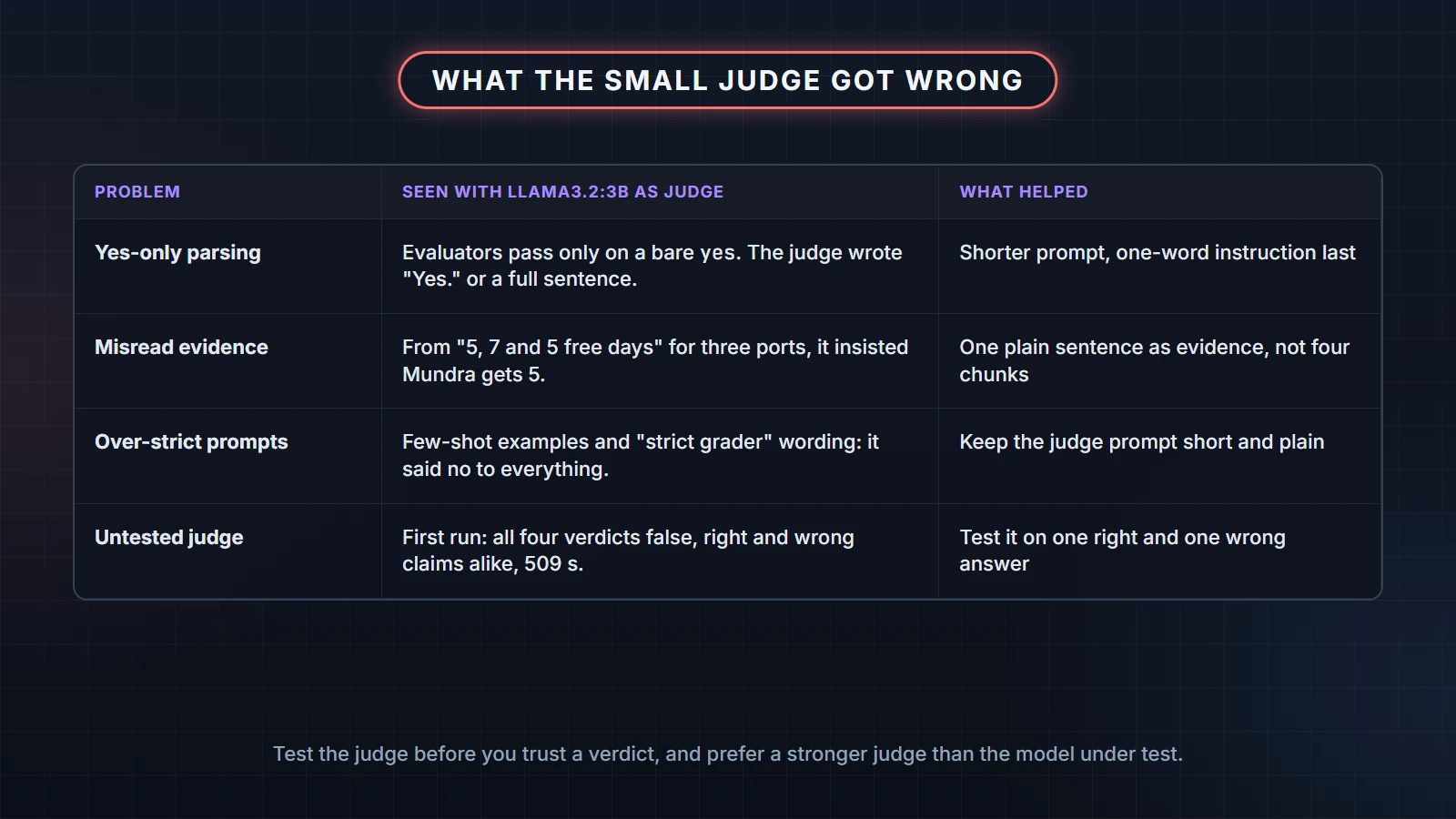
The first attempt asked about free days at the port of Mundra. The answer was correct, and the judge failed it. All four verdicts came back false, right claims and wrong ones alike, and the run took 509 seconds. The judge's raw replies showed two causes:
- Parsing. Both evaluators pass only when the reply, with surrounding whitespace stripped, is the word
yes(case is ignored). The small model wrote "Yes." with a full stop, or a full sentence, and that counted as a fail. - Judgement. Given a sentence that listed 5, 7 and 5 free days for three ports, the judge insisted Mundra gets 5. That is a reasoning error, not a formatting one.
Give the judge an easier job
The fix was to simplify. The book sets a shorter relevancy prompt through RelevancyEvaluator.builder().promptTemplate(..), with the context first and a one-word instruction last, and gives one plain sentence as evidence instead of four retrieved chunks. Then it asserts both directions: a right answer passes, and noise (a sentence about the office canteen's lunch time) fails.
With that change, the tuned relevancy judge passed the correct answer that the stock one failed, and both fact checks gave the right verdict on this evidence. Two ideas that sound sensible made it worse: few-shot examples and "strict grader" wording made the judge say no to everything.
The lesson: test the judge too. Give it a known-good answer and a known-bad one, and trust its verdicts only once it gets both right. Where you can, use a stronger model as judge than the one being judged. The Spring AI reference makes the same point: pick the best model for evaluation, which may not be the model that generated the response.
A golden dataset with a score that can fail the build
A golden dataset pins down the questions you care about. Each entry is a question plus the facts that any good answer has to include. The book keeps ten of them in questions.json, three about tracking containers and seven about shipping policy. Because the list never changes, re-running it after each edit compares like with like. With a 3B judge, the book trusts these plain fact strings more than the judge's verdicts.
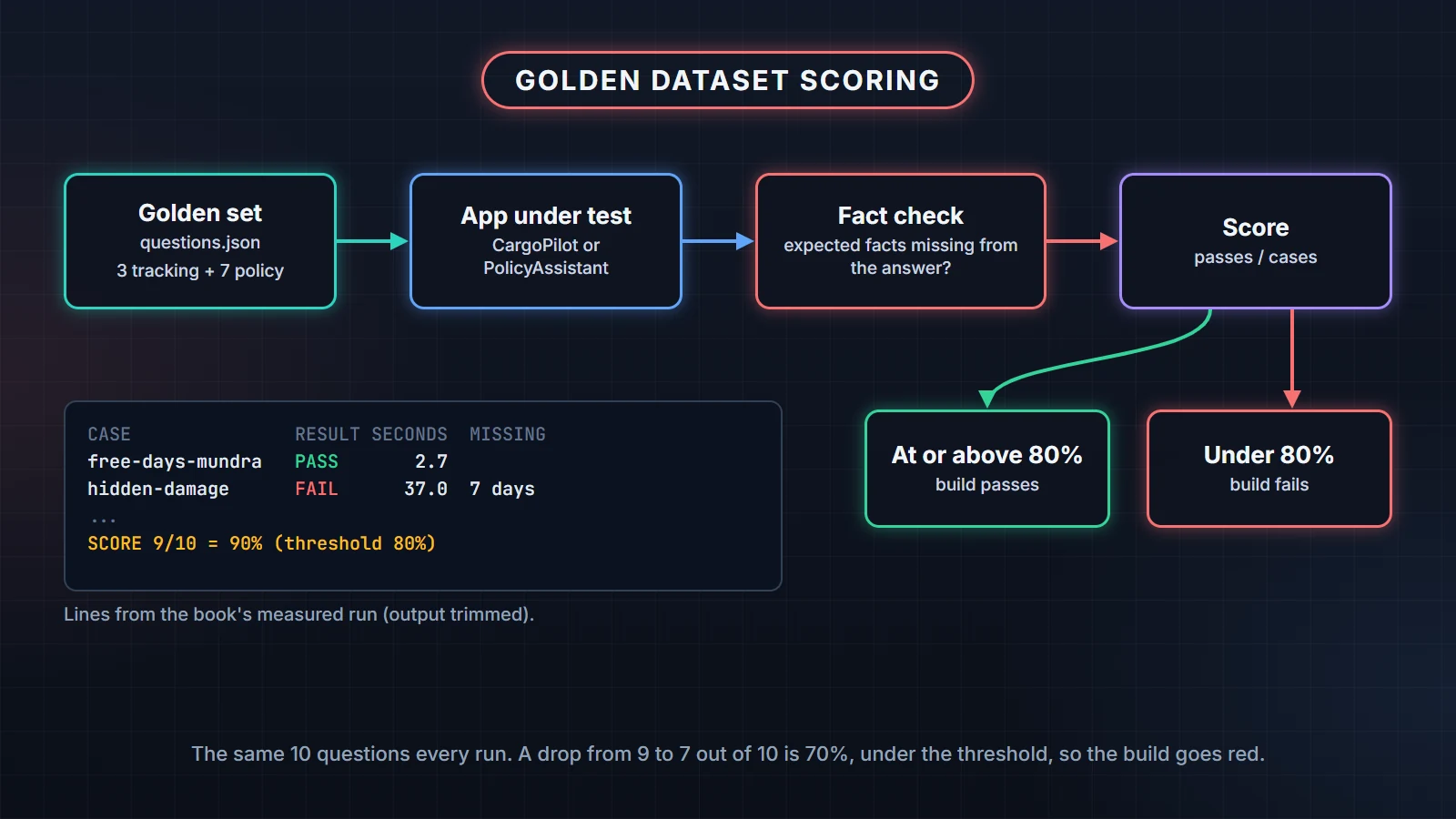
The core of the regression test is a loop and one assertion:
for (GoldenCase c : cases) {
    long start = System.currentTimeMillis();
    String answer = c.kind().equals("tracking")
            ? cargoPilot.ask(c.question())
            : policyAssistant.ask(c.question()).text();
    List<String> missing = c.missingFrom(answer);
    passed += missing.isEmpty() ? 1 : 0;
    System.out.printf("%-18s %-6s %7.1f  %s%n", c.id(),
            missing.isEmpty() ? "PASS" : "FAIL",
            (System.currentTimeMillis() - start) / 1000.0,
            String.join(", ", missing));
}
double score = (double) passed / cases.size();
System.out.printf("SCORE %d/%d = %.0f%% (threshold %.0f%%)%n",
        passed, cases.size(), score * 100, THRESHOLD * 100);
assertThat(score).isGreaterThanOrEqualTo(THRESHOLD);
missingFrom lists every expected fact that the answer leaves out. It ignores case and thousands separators. With the threshold at 0.8, a single weak answer is tolerated, while three of them push the score below the line.
The book's measured run: 9 out of 10
In the book's measured run, the score was 9 out of 10, or 90% against an 80% threshold. The table named the one failure: a question about hidden damage whose answer did not contain "7 days". That gives you one concrete case to debug, starting with the retrieved chunks. A single case took between 2.7 and 57.8 seconds, and the full run about 219 seconds.
Now imagine a prompt change drops the score to 7 out of 10. That is 70%, under the threshold, so the build fails, and the table shows exactly which cases to look at. This is what turns "I think the answers got worse" into a red build with names on it.
When to run which test
Each layer is slower and closer to what a customer sees. In the book's numbers:
- Stub tests: 8 tests in about 2.4 seconds. Run them on every build.
- Container tests: about 44 seconds for pgvector and 37 seconds for Ollama. A sensible place for them is a job that runs when the data layer or model wiring changes, and before a release.
- Golden run: 10 questions in about 219 seconds. Run it before every release and after every prompt or model change.
Keep the slow layers behind a switch, as the book does with an environment variable, so a developer's normal build stays fast.
Go deeper
Chapter 13 of AI Engineering with Java, "Testing and evals", builds all three layers for the book's CargoPilot assistant: unit tests that run the full tool loop against a stubbed model, container tests for pgvector and Ollama, both Spring AI evaluators with a tuned judge, and the golden dataset with its real 9 out of 10 score. The practice tasks have you add an eleventh golden case, script a stub that looks up two containers in one turn, and add the judge's verdict as a second column next to the fact check.
You can find it at AI Engineering with Java. The product page has a free 5-page sample.
Related reading
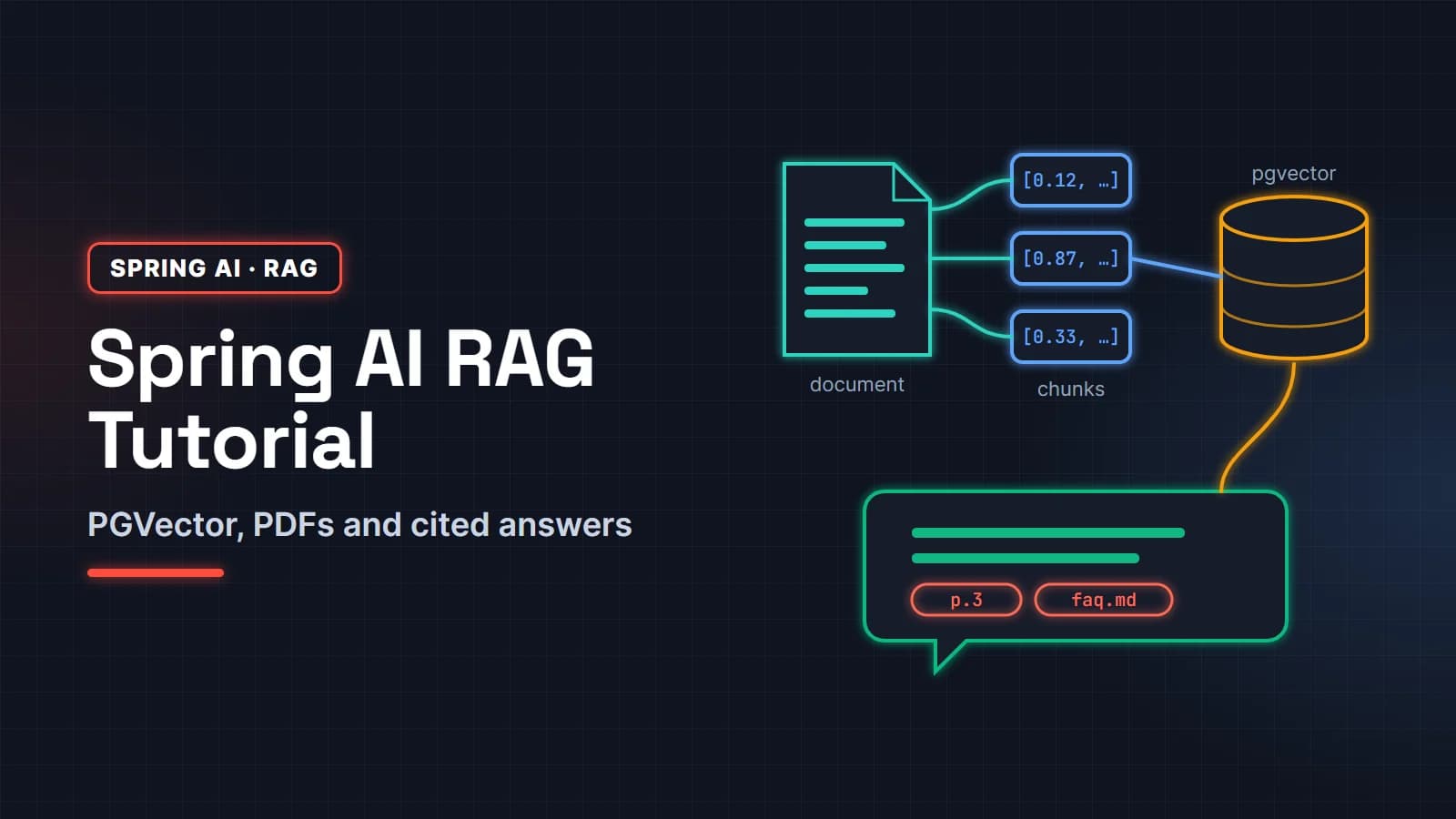
- Spring AI RAG tutorial with pgvector
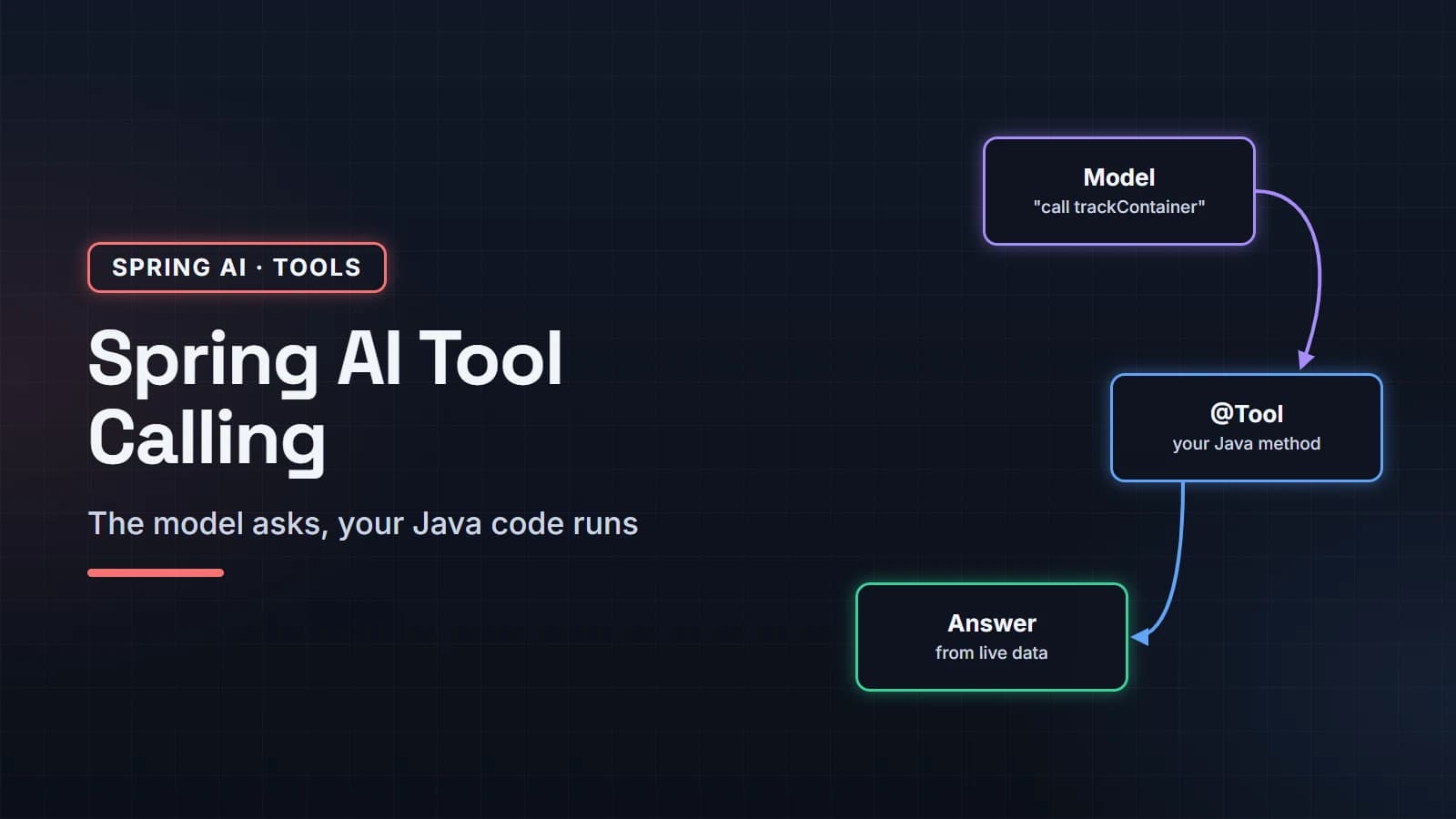
- Spring AI tool calling tutorial
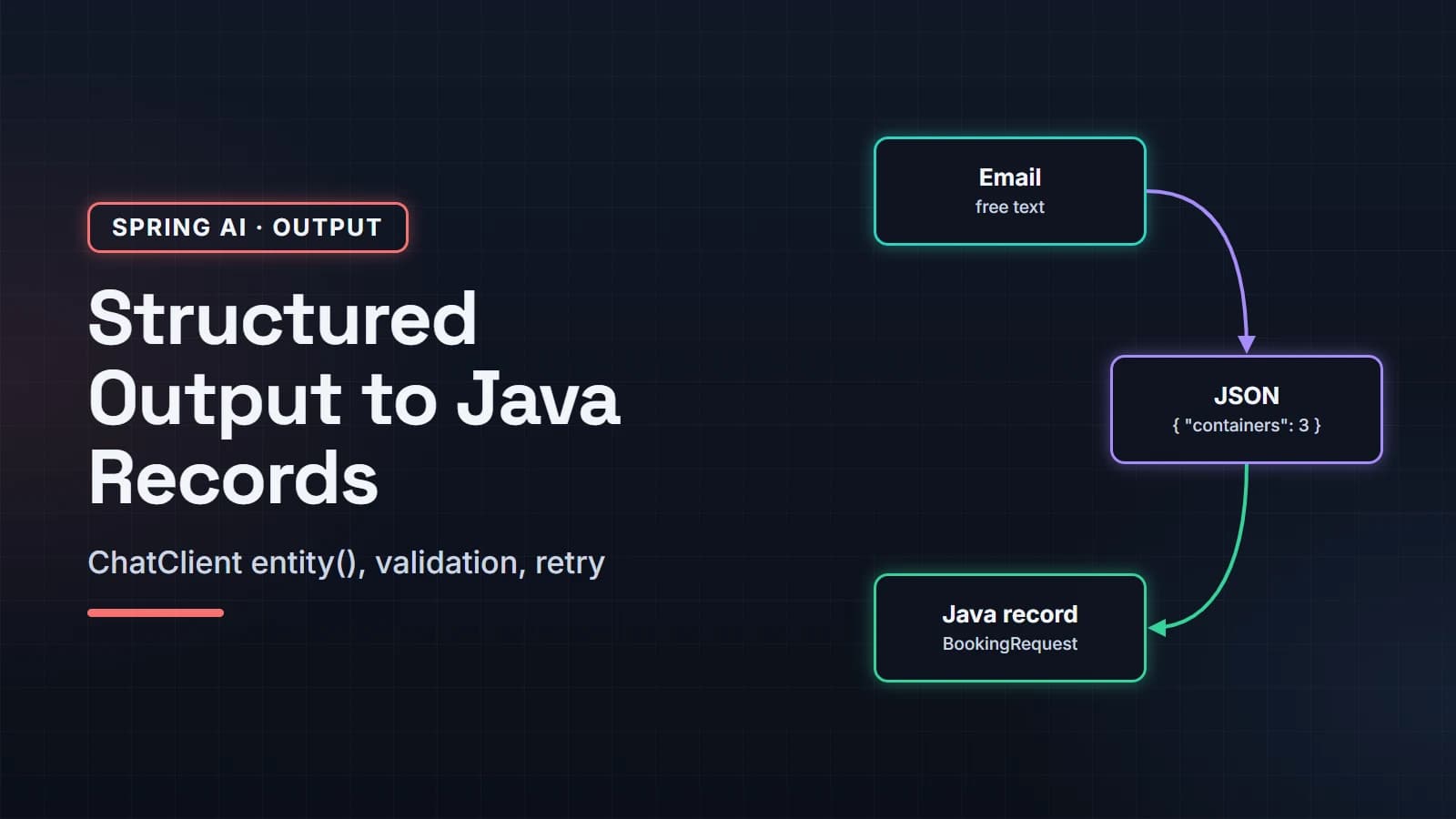
- Spring AI structured output into Java records
FAQ
How do you unit test an LLM application in Java?
Implement Spring AI's ChatModel interface with a stub that returns scripted replies and records every prompt. Pass it to ChatClient.builder(...) and assert on both the final answer and the prompts your code sent. The test runs in milliseconds with no network.
What is an LLM eval?
An eval sends real questions to a real model and scores the answers, either with a judge model or by checking for expected facts. Unlike a unit test, its result is a score you track over time, not a simple pass or fail of your code.
What evaluators does Spring AI provide?
The book reports that Spring AI 2.0.2 ships two: RelevancyEvaluator, which checks whether an answer fits the question and context, and FactCheckingEvaluator, which checks whether a claim is supported by a document. Both use a judge model through a ChatClient.Builder.
Can a small model be used as an LLM judge?
It can, but test it first. In the book's runs, llama3.2:3b failed correct answers because it wrote "Yes." instead of a bare "yes" and misread numbers in the context. A shorter prompt helped. A stronger judge than the model under test is the safer choice.
How do you fail a build when LLM answer quality drops?
Keep a golden dataset of fixed questions with expected facts, run it in a test, compute the share of answers that contain their facts, and assert that the score is at or above a threshold. The book uses 0.8, so a drop from 9 to 7 out of 10 fails the build.