 Tech Tribers
What Is MCP (Model Context Protocol)? A Practical Guide for Developers
MCP is the open standard for connecting AI assistants to your tools and data. Learn hosts, clients and servers, tools vs resources vs prompts, and build a working server in Python.
4 min read
Every AI assistant hits the same wall: it is clever, but it cannot see your database, your tickets or your codebase unless someone wires them in. For a long time that wiring was bespoke — a plugin format for one app, a function-calling schema for another, glue code everywhere. The Model Context Protocol (MCP) is the open standard that replaces that glue. Anthropic introduced it in late 2024, and it has since become the common way to connect AI applications to tools and data.
The idea in one sentence
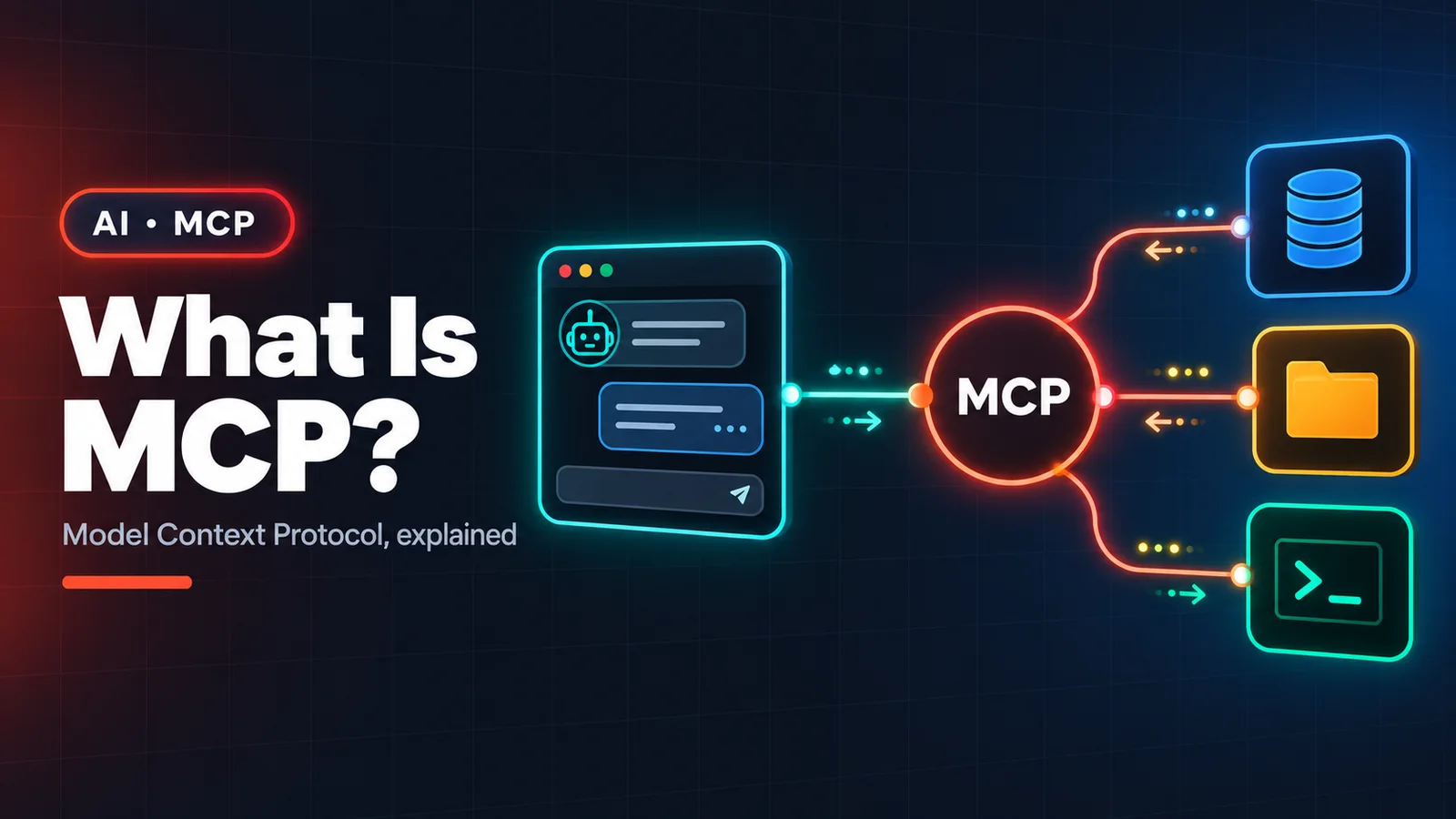
MCP is to AI apps what USB is to laptops: build an integration once as an MCP server, and any MCP client — an IDE, a desktop assistant, a CLI agent, your own app — can use it without custom code.
The three roles
- Host — the application the user works in (an AI desktop app, an IDE, a coding agent in your terminal).
- Client — the connector inside the host that keeps a 1:1 session with one server.
- Server — a small program that exposes capabilities: your GitHub repos, a Postgres database, an internal API.
Under the hood, client and server exchange JSON-RPC 2.0 messages. Local servers usually run over stdio (the host starts the server as a child process); remote servers use Streamable HTTP, which is what lets a hosted service offer an MCP endpoint behind normal OAuth.
What a server can offer
- Tools — functions the model can call:
create_issue,run_query,refund_order. Each has a name, a description and a JSON Schema for its inputs. This is the part most people mean when they say "MCP". - Resources — read-only context the app can load: a file, a table schema, a wiki page.
- Prompts — reusable, parameterised prompt templates the user can pick, such as "review this pull request".
Build a server in about 15 lines
With the official Python SDK, a working server that exposes one tool looks like this:
from mcp.server.fastmcp import FastMCP

mcp = FastMCP("orders")

@mcp.tool()
def get_order_status(order_id: str) -> str:
    """Return the current status of an order, e.g. PAID or SHIPPED."""
    order = db.find_order(order_id)  # your own data access
    return order.status if order else "NOT_FOUND"

if __name__ == "__main__":
    mcp.run()  # stdio transport by default
The function signature and docstring become the tool's schema and description — which is exactly what the model reads to decide when to call it. Write the docstring for the model, not for yourself: say what the tool does, what it returns and when not to use it.
Point a client at it (for example, a coding agent's mcp add command, or the host's MCP config file) and the model can now answer "where is order 4123?" by calling your code.
Design tips that matter in practice
- Few, well-named tools beat many vague ones. Every tool definition costs context tokens and adds a choice the model can get wrong.
- Return compact, structured results. Send the 10 rows that answer the question, not 10,000 — paginate and let the model ask for more.
- Make errors useful. "order_id must look like ORD-1234" lets the model recover; a stack trace does not.
- Separate reads from writes. Keep destructive tools (refunds, deletes, deploys) behind explicit user confirmation in the host.
Security: treat tool output as untrusted input
An MCP server runs with whatever credentials you give it, and the text it returns goes straight into the model's context. Two rules follow:
- Least privilege. A server that answers questions about orders needs a read-only database role, not the admin password.
- Watch for prompt injection. A web page, ticket or email fetched by a tool can contain instructions aimed at the model. Hosts should keep a human in the loop for side-effecting actions, and you should only install servers you trust.
When to reach for MCP
Use MCP when you want an integration to work across several AI apps, or when a team keeps rebuilding the same "let the assistant see X" glue. If you are calling one model from one backend with two fixed functions, plain function calling in your API client is still the simpler choice. Next step: read our guide to connectors, which are MCP servers packaged for end users.